In this guideJump to a section
- What this plan covers
- 1. Map the people, places, and access needs
- 2. Choose one out-of-area contact
- 3. Use a short check-in format
- 4. Build communication layers by job
- 5. Keep official alerts available
- 6. Decide whether local two-way radios solve a real problem
- 7. Protect the plan from account and network failures
- 8. Power only the communication loads you need
- 9. Add satellite only after the basics work
- 10. Run a 20-minute household practice
- A one-page communication checklist
- Print and practice the one-page plan
INFO
An emergency communication plan should answer four questions before anyone buys a device: who checks in, what message they send, where people meet, and what they do when the first communication path fails. Practice those answers with the household and keep the instructions short enough to use under stress.
The plan should still tell someone what to do after a missed call, a dead battery, or a warning that arrives through a different channel. Add a device only when it closes a failure you have named; each layer needs a job, a limit, and a fallback.
What this plan covers
- The people and places that need to be connected
- A short, repeatable check-in message
- An out-of-area relay contact
- Official alerts and weather information
- Phone, radio, internet, and satellite layers
- Offline copies of critical information
- Backup power for the exact devices in the plan
- A short household practice session
The plan cannot guarantee coverage or replace emergency services. If there is immediate danger, follow instructions from local officials and move to safety.
1. Map the people, places, and access needs
List every household member and the places they spend time during a normal week: schools, workplaces, transit routes, care facilities, and homes of relatives. Record physical addresses, main phone numbers, and the official emergency procedures published by those facilities.
Note specific access and communication requirements:
- Does anyone rely on relay, TTY, large print, screen readers, or another assistive service?
- Who needs help moving quickly, operating equipment, or understanding an urgent message?
- Are medical devices, refrigerated supplies, or power-dependent equipment involved?
- Who is authorized to pick up children or care for dependents if regular transportation stops?
- What language is most reliable for each person under stress?
Keep this list current. A change in a school schedule, commute, caregiver, or phone number changes how the plan operates.
2. Choose one out-of-area contact
Local phone networks often become congested immediately after an earthquake, severe storm, or industrial accident. Long-distance routing frequently operates with less congestion than local calls within the same area code.
Ask a trusted friend or relative who lives at least 100 miles outside your region to act as the household’s central relay:
- Each household member texts or calls this person with their status and location.
- The relay contact records who has checked in and shares updates as other members reach out.
- Household members avoid calling each other repeatedly on congested local channels.
Confirm that the chosen contact understands the role, keeps a charged phone, and knows what to do if a household member cannot be reached. Choose a second contact in another region as a backup if the primary contact travels, becomes unavailable, or unable to reach the affected area.
3. Use a short check-in format
Long messages create more room for confusion. Agree on a format that works as a text, voicemail, radio message, or note:
Name | safe or needs help | location | next action | next check-in time
Example: Maya | safe | library | staying until 6 p.m. | text again at 5 p.m.
If help is needed, state the need and location plainly. Do not use household codes that emergency responders or a relay contact cannot understand. Avoid posting a vacant-home status, exact supply inventory, or another person’s location on a public channel.
4. Build communication layers by job
Relying on a single communication technology creates an immediate failure point when a storm knocks out cell towers or an ice storm snaps aerial fiber lines. Organize your family communications using the military PACE planning methodology: Primary, Alternate, Contingency, and Emergency.
Household communication layer decision matrix
Evaluate the operational characteristics, hardware constraints, and specific failure dealbreakers across all available emergency communication channels:
| Communication Layer | Hardware & Power Requirements | Operational Frequency / Channel | Primary Operating Role | Who Should Skip It / Fails When |
|---|---|---|---|---|
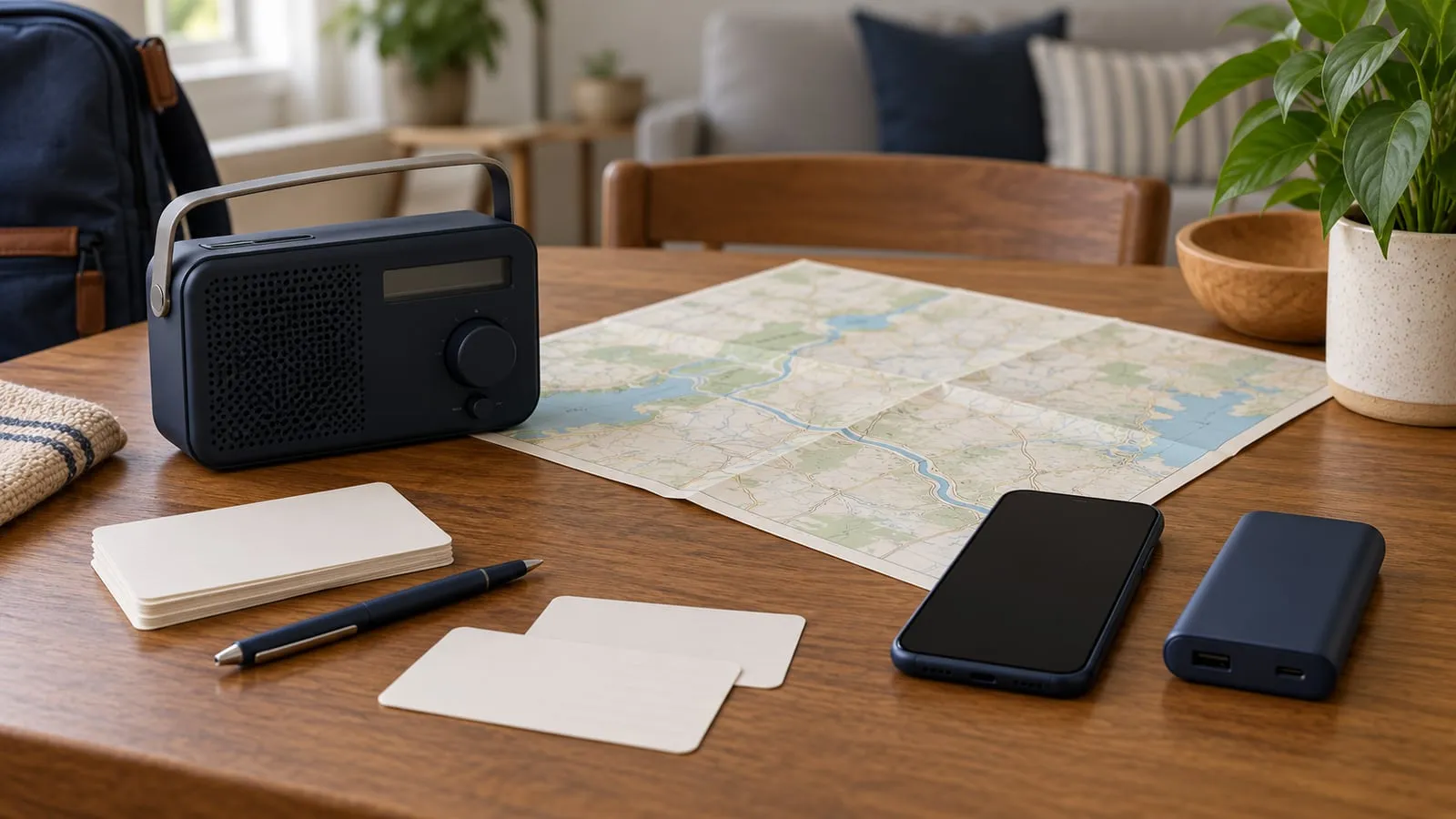
| Paper Contact Plan | Laminated index cards (3x5 in) stored in wallets, backpacks, and pantry. | Visual human-readable text; zero spectrum requirement. | Immediate access to telephone numbers, addresses, and medical codes when devices are dead or locked. | Never skip. Fails when cards are lost, outdated, or locked inside an evacuated residence; print 3 copies per person. |
| Cellular SMS to Relay | Standard smartphone operating on internal battery with low-power mode active. | Carrier LTE/5G control signaling plane (Non-Access Stratum). | First household status ping to out-of-area relay; bypasses local voice circuit congestion. | Skip long voice phone calls. Fails when cell towers lose backup generator fuel or structural antennae snap; triggers unsent SMS queue. |
| NOAA Weather Radio (NWR) | Dedicated portable receiver with SAME digital filtering and hand-crank/battery bay. | 7 VHF broadcast frequencies (162.400 to 162.550 MHz). | Automated 24/7 reception of civil emergency messages, tornado warnings, and evacuation orders. | Never skip in severe weather zones. Fails when receiver is not programmed to the county FIPS code; stays silent during localized alerts. |
| Two-Way Radio (FRS / GMRS) | 2W to 5W handheld transceivers running rechargeable Li-ion or AA alkaline cells. | 22 shared UHF simplex channels (462 to 467 MHz) and 8 GMRS repeater pairs. | Direct neighborhood tactical coordination between family members within a 0.5 to 1.5 mile radius. | Skip if family members refuse to practice basic radio protocols. Fails when hills or steel-reinforced buildings block UHF line-of-sight propagation. |
| Direct Satellite Messaging | Satellite messenger (Garmin inReach, ZOLEO) or satellite-capable smartphone (iPhone 14+ / Pixel 9+). | L-band / S-band Low Earth Orbit (Iridium, Globalstar) direct-to-device. | Emergency text messages and GPS SOS beacons when all ground infrastructure is completely destroyed. | Skip if you lack an unobstructed view of the open sky. Fails inside dense concrete buildings, deep canyons, or heavy wet tree canopies. |
Will home internet work during a power outage?
Backing up a router does not prove that the internet will remain available. Trace the whole path:
| Dependency | What must still work |
|---|---|
| Device | Phone, laptop, or other client has power |
| Home network | Router, mesh node, switch, and any required access point have power |
| Provider handoff | Cable modem, fiber ONT, gateway, or other service equipment has power |
| Local provider network | The neighborhood plant, cabinet, node, or other provider infrastructure remains operating |
| Upstream network | The provider still has a working path beyond the local area |
A UPS or battery can keep household networking equipment on while upstream service is healthy; it cannot restore a provider network that has failed. Test the exact modem/router/ONT setup on an ordinary day, and preserve a no-internet path for alerts, contacts, directions, and household decisions.
If you plan to make calls over that connection, use the Wi-Fi calling dependency check to verify the phone, carrier setup, home equipment, provider path, and emergency-address settings.
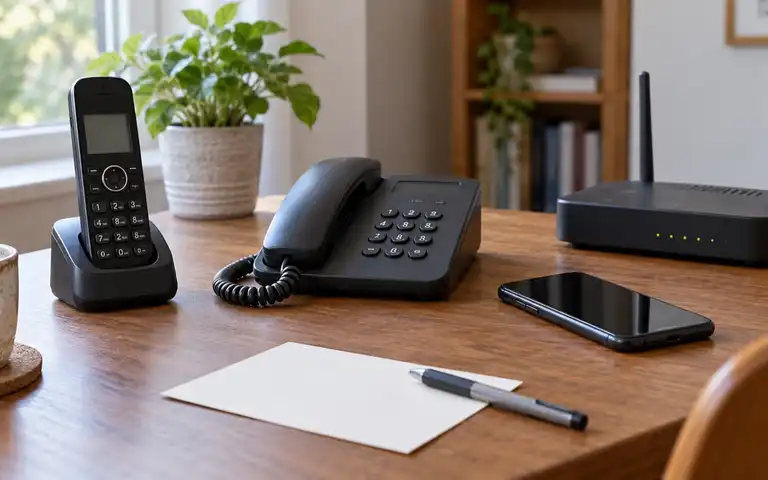
For a home telephone, compare the copper, VoIP and cellular dependency paths; “landline” alone does not identify which equipment needs power.
5. Keep official alerts available
Check whether Wireless Emergency Alerts are enabled on each compatible phone. The National Weather Service WEA guide explains that alerts are transmitted through participating wireless carriers to capable phones within a geographic area. They do not require a separate app or subscription.
On an iPhone, check the current menu path described in Apple’s notification guide: Settings > Notifications, then scroll to the Government Alerts section. On an Android phone, review the path in Google’s emergency guide: Settings > Notifications > Wireless emergency alerts. Menu layouts, alert types, sound controls, and history vary by device, software version, carrier, and region; use the current manufacturer instructions for your exact model.
WEA messages depend on working cell towers and a capable phone. Pair them with a second alert source:
- Local emergency notification system: Many cities and counties use an opt-in system to send text, email, or recorded phone messages about evacuations, shelter locations, boil-water notices, and road closures. Enroll through your local government’s official emergency management website.
- NOAA Weather Radio: The National Oceanic and Atmospheric Administration Weather Radio network broadcasts continuous weather information, forecasts, and warnings from National Weather Service offices. A receiver with Specific Area Message Encoding (SAME) can be programmed to sound an alert only for your county, reducing nuisance warnings from distant areas. Check current transmitter status and local frequencies before choosing or programming a receiver.
Keep a battery-powered or hand-crank radio with weather-band reception in the household kit. Confirm the correct frequency for the nearest operational transmitter and location code, then record the local weekly-test response.
If a portable receiver fills a gap in that plan, the Midland ER310 model guide separates reception checks, spare-power options, and phone-charging limits. Keep a working receiver you already know how to use; a new radio does not remove the need to test the local signal.
If someone may need to text emergency services, check local text-to-911 availability through a published non-emergency contact before relying on that path. Never send a test message to 911.
6. Decide whether local two-way radios solve a real problem
Retail blister packs advertising “36-mile range” on FRS and GMRS radios mislead consumers by assuming unobstructed transmission from mountain peak to mountain peak through a vacuum. In the real world, ultra-high frequency (UHF) radio propagation is strictly governed by line-of-sight physics and structural clutter attenuation.
UHF line-of-sight horizon physics and suburban clutter attenuation
Calculate the theoretical geometric radio horizon between two ground stations using antenna height above ground:
d_miles ≈ 1.23 × (√h1 + √h2)
- Ground-to-Ground Handheld Physics: Two family members standing at ground level holding radios at face height (h1 = 5.5 ft, h2 = 5.5 ft): d = 1.23 × (√5.5 + √5.5) = 1.23 × (2.345 + 2.345) = 5.77 miles This 5.77 mile figure represents the maximum theoretical horizon over calm seawater with zero obstacles.
- Suburban Clutter Attenuation: Real-world 462 MHz UHF radio waves cannot penetrate dense earth or heavy building materials. In a typical suburban environment with single-family houses, foliage, asphalt roads, and utility infrastructure, each wood-frame structure introduces approximately 3 to 6 dB of path loss, while commercial reinforced concrete introduces over 20 dB of attenuation.
- Realistic Practical Range: A standard 2W Family Radio Service (FRS) handheld operating with an integrated fixed antenna achieves a reliable suburban operating range of only 0.6 to 1.2 miles. Under dense urban high-rise conditions, building reflections and shadowing collapse useful range down to 3 to 5 city blocks (0.25 to 0.4 miles).
- The Height Advantage: If one station elevates their antenna—such as an operator standing on a second-story balcony or ridge (h1 = 25 ft, √25 = 5.0) communicating with a family member on the street (h2 = 5.5 ft): d = 1.23 × (5.0 + 2.345) = 1.23 × 7.345 = 9.03 miles Antenna height above average terrain (HAAT) dictates radio coverage far more than increasing transmitter wattage from 2 watts to 5 watts.
In the United States, radio services have different equipment and licensing rules. Review current 47 CFR Part 95 and the exact radio’s certification and instructions before buying or transmitting. FRS requires no individual license but limits power to 2 watts on channels 1–7 and 15–22 (and 0.5 watts on channels 8–14) with non-detachable antennas. GMRS permits up to 5 watts on handhelds, detachable high-gain antennas, and access to 8 repeater pairs, but requires an FCC license (35 USD for 10 years, covering your entire immediate family). Agree on a primary channel, a fallback channel, plain-language call names, and scheduled listening times. Assume other people may hear an ordinary radio transmission.
For a complete internet-free arrangement, use the no-internet communication stack to assign a job to paper, SMS, radio, power, and optional satellite equipment.
For the service and operator choice, the FRS-versus-GMRS household guide separates the license, permitted users and equipment checks from a range claim.
7. Protect the plan from account and network failures
Print the contact list and meeting places. Download local maps and key documents for offline use where appropriate. Store work or medical information only in a way that follows the relevant privacy, employer, and care-provider rules.
For route downloads, use the offline evacuation-map check. Before putting contacts on a phone’s emergency screen, review what a person holding a locked phone can see.
For online accounts that support communication, CISA’s archived Secure Our World guidance recommends strong unique passwords, multifactor authentication, software updates, and recognizing phishing. Keep recovery codes securely available without placing account passwords on the public household contact card.
If a large home has Wi-Fi dead zones, work through placement, wired backhaul, security, and outage dependencies in the mesh Wi-Fi selection guide. Mesh Wi-Fi can improve coverage inside a home, but it cannot restore a failed internet provider.
8. Power only the communication loads you need
Make a device inventory before choosing a battery:
| Device | Input or measured watts | Hours needed | Charging method | Fallback |
|---|---|---|---|---|
| Primary smartphone | 5V at 2A (10W charge rate) | 72 hours standby | USB-C power bank | Laminated paper plan & radio |
| Second family phone | 5V at 2A (10W charge rate) | 72 hours standby | USB-C power bank | Out-of-area relay contact |
| NOAA Weather Radio | 5V at 1A (5W charge rate) | Continuous listen | Internal 18650 cell / hand crank | Spare AA alkaline cells |
| Two-Way Radios (Pair) | 5V at 1A desktop cradle (5W) | 72 hours (5-5-90) | USB cradle / spare alkaline pack | Pre-agreed physical rally point |
| Fiber ONT & Router | 12V DC (48W combined) | 8 hours critical window | 12V LiFePO4 Mini-UPS / Power station | Cellular data / offline plan |
72-Hour household communication energy budget and battery sizing
Calculate the exact battery storage capacity required to keep your family communication stack functional across a 72-hour utility grid outage:
- Smartphone Handset Consumption: A modern smartphone carries a 3.85V, 4,000 mAh lithium battery (15.4 Wh). Under disaster power-save protocols (screen brightness capped at 25%, background data syncing disabled, airplane mode enabled with 5-minute transmission windows scheduled every 2 hours), daily handset consumption drops to roughly 3.85 Wh/day (25% daily discharge). For two adult phones across 72 hours: E_phones = 2 × 3.85 Wh/day × 3 days = 23.1 Wh
- Handheld Radio Energy Budget: A pair of FRS/GMRS transceivers equipped with 3.7V, 1,500 mAh packs (5.55 Wh each) operating on a standard emergency duty cycle (5% transmit at 2W, 5% receive at 0.5W, 90% standby at 0.05W) draws approximately 1.80 Wh/day per radio. For two radios over 72 hours: E_radios = 2 × 1.80 Wh/day × 3 days = 10.8 Wh
- Net Handset & Radio Energy Demand: 23.1 Wh + 10.8 Wh = 33.9 Wh.
- Power Bank Conversion Losses: Stepping internal 3.7V lithium cells up to 5.0V USB bus voltage and back down to handset battery voltage introduces roughly 18% conversion and thermal loss (efficiency factor 0.82): E_bank_required = 33.9 Wh ÷ 0.82 = 41.34 Wh A single standard 15,000 mAh / 55.5 Wh or 20,000 mAh / 74 Wh USB power bank easily covers all handset and radio charging needs for 3 full days.
- Whole-Home Broadband Contrast: Attempting to keep your home fiber ONT (18W) and Wi-Fi 6 router (30W) powered continuously for 72 hours requires (18W + 30W) × 72h ÷ 0.85 = 4,065.9 Wh—demanding an expensive 4 kWh portable power station. Prioritize lightweight pocket power banks for mobile phones and radios rather than burning scarce emergency battery storage on home Wi-Fi when upstream fiber lines may be severed.
The Battery Runtime Planning Guide explains how to structure that estimate before using its tool handoff. It does not certify electrical compatibility, battery health, or safe operation.
For networking and device priorities, use the electronics backup power guide to preserve phone and alert power before extending home internet or work loads.
Follow the manual for every charger, UPS, power bank, inverter, and battery. Keep damaged, swollen, recalled, wet, or unusually hot equipment out of service and follow manufacturer and local disposal guidance. Do not charge equipment in an exit path or cover it while operating.
9. Add satellite only after the basics work
Satellite broadband or messaging can add an independent path, but the category contains very different devices. Decide whether the job is short status messages, location sharing, voice, or internet data. Then confirm the exact device’s current coverage, service plan, activation steps, sky-view needs, weather limits, power input, operating temperature, and emergency features in the manufacturer’s current documentation.
The satellite internet decision guide provides a vendor-neutral check before a purchase. Test the account, equipment, mounting or placement, and full power chain on an ordinary day. Do not delay evacuation to preserve a connection.
10. Run a 20-minute household practice
An untested emergency plan is merely a list of good intentions. Once every six months—ideally during seasonal daylight saving clock shifts—gather all household members for a dedicated 20-minute operational rehearsal:
- Conduct a zero-contact check-in drill: Station one parent at home and have the other parent or family member initiate a test from a grocery store or transit stop using airplane mode with Wi-Fi disabled. Have them transmit the pre-agreed status message to the out-of-area relay contact via SMS. Verify the relay contact receives the text and successfully forwards the status report to the home station within 10 minutes.
- Execute a radio frequency handshake: Turn on both family two-way radios. Set one unit to the designated primary channel and privacy code (e.g., FRS Channel 4, CTCSS Code 12). Transmit a 10-second voice check: “Station A to Station B, radio check on Channel 4, confirm signal readability.” Verify that voice audio is crisp and squelch unmutes reliably without static hiss.
- Inspect the laminated paper wallet cards: Confirm that every child, teen, and adult has their physical contact card inside their school backpack, purse, or wallet. Have each child demonstrate how they would read the phone number to a school administrator or police officer if their smartphone was lost or confiscated.
- Audit power bank state of charge: Plug each emergency USB power bank into a phone; confirm the digital display reads more than 80% state of charge. Lithium-ion power banks self-discharge at roughly 2 to 3% per month; top them off to 100% during the drill.
- Rehearse the physical meeting place protocol: Review the primary neighborhood meeting location (e.g., the big oak tree at the end of the cul-de-sac) and the regional evacuation rally point (e.g., the community recreation center 2 miles north). Ensure every family member knows walking routes to both spots without GPS.
Identify any points of confusion during the practice, update the paper cards immediately, and record the completed rehearsal date in your offline emergency binder.
A one-page communication checklist
- Primary and secondary household members and typical weekday locations are documented.
- Primary neighborhood meeting place and secondary out-of-area evacuation rally point are physically verified.
- One out-of-area relay contact living more than 100 miles away has formally accepted the relay role.
- Short check-in message format (
Name | Status | Location | Action | Next Check-in) is memorized and printed. - School, workplace, and dependent medical pickup authorizations are updated in official institutional records.
- Wireless Emergency Alerts (WEA) and municipal text-alert enrollments are audited on all active phones.
- Dedicated battery-powered NOAA Weather Radio with SAME digital county programming is operational and tested.
- Laminated wallet contact cards (3x5 in) are placed in all backpacks and everyday carry bags.
- FRS/GMRS two-way radios are labeled with primary channels and tested across real neighborhood terrain.
- USB battery banks (15,000 to 20,000 mAh) are charged and staged with compatible charging cables.
- Household practice drill has been completed within the past six months and documented on paper.
Emergency communication planning FAQ
- What is the first step in an emergency communication plan?
- Choose who checks in, one out-of-area relay contact, two meeting places, and a short message format. Put that information on paper before adding equipment.
- Should a household rely on text messages during an emergency?
- Texting can be a useful first path, but cellular service, device power, and network conditions can fail. Pair it with written contacts, official alerts, meeting places, and another suitable local or satellite path.
- Does mesh Wi-Fi keep internet working during a power outage?
- Not by itself. Mesh equipment needs power, and the provider connection must still be available. Back up only the necessary modem, router, and nodes after measuring their load, and keep a no-internet fallback.
- Is a satellite device necessary for every household?
- No. Its value depends on location, communication needs, coverage, sky view, current service terms, power, and the ability to operate the exact device. Strengthen the written plan and ordinary phone and alert layers first.
Print and practice the one-page plan
Print the contact list, two meeting places, out-of-area relay contact, and short message format on a single double-sided sheet of paper. Laminate the card or seal it inside a heavy 4-mil clear polyethylene zip bag to prevent moisture damage during winter storms or flood evacuations. Stash one copy in every household vehicle glove compartment, one in each child’s school backpack, and mount one copy with a magnet to the inside of the pantry door.
Executing the Practice Drill
Establish a firm schedule for recurring communications rehearsals. Run the 20-minute practice drill twice annually, ensuring that family members test the exact radio channels, backup battery cords, and SMS relay paths under realistic simulated blackout conditions. Begin the drill by turning off all cellular data and Wi-Fi on every smartphone. Have family members attempt to transmit a standardized status text message to the designated out-of-state relay contact. If the text fails, family members must immediately fall back to the laminated paper cards to locate the correct neighborhood meeting point.
During the drill, physically hand off two-way radios and require the operator to change the channel, disable the privacy codes, and transmit a short verbal check-in to prove they understand the interface. If you rely on portable power banks to recharge communication devices, connect the charging cables during the drill and verify that the bank has not self-discharged in storage. When family members know exactly who to call, what message to transmit, and where to walk when cell networks go silent, anxiety is replaced by calm, methodical execution.
Routine Maintenance and Physical Handoffs
Use the Outage Readiness Planner action above to test how your household communication stack fits your specific regional outage horizon and battery backup hardware. Keep equipment and property details in your private paper records, and update all school and caregiver emergency authorization forms whenever contact telephone numbers change. If your plan includes an emergency hand-crank radio or a satellite messenger, replace the alkaline or primary lithium batteries every January, regardless of usage. Do not leave dead alkaline batteries inside stored communication equipment, as they will inevitably leak corrosive potassium hydroxide, permanently destroying the internal circuit boards just when you need the equipment most.