Battery Runtime Planning: Watts, Watt-Hours, and a Safer Test
Estimate battery-backup runtime from measured loads, usable capacity, reserve, conversion loss, output limits, motor surge, temperature, age, and a real test.
In this guideJump to a section
- Separate stored energy from output
- Start with the formula
- Step 1: Read the correct ratings
- Step 2: Measure the loads that matter
- Step 3: Handle cycling loads honestly
- Step 4: Choose a reserve you can explain
- Step 5: Account for conversion loss without false precision
- Worked example
- Temperature, age, settings, and condition
- Run a controlled test before an outage
- Questions about estimates and real runtime
- Primary sources
Separate stored energy from output
A battery label gives you two different kinds of limits. Watt-hours (Wh) tell you how much energy the battery can store. Watts (W) tell you how much power the system can deliver at one moment. Runtime depends on watt-hours, while the ability to start and run equipment depends on watts and, for some loads, a separate surge rating.
Use the Battery Runtime Calculator for a transparent planning estimate. Enter the exact system’s nameplate watt-hours and continuous AC output, add the loads likely to run together, and choose reserve and conversion-efficiency assumptions. For cycling loads, select measured energy and enter the same load set’s total AC watt-hours over 24 hours; keep simultaneous running watts for the output check. Then use this guide to review what the number includes, what it leaves out, and how to test the setup.
The U.S. Department of Energy distinguishes a storage system’s energy capacity, or the total energy it can hold, from its power capacity, or the rate at which it can release energy. DOE also notes that storing and retrieving energy is not 100 percent efficient. Those two ideas are the foundation of a useful household runtime estimate.
If you are still defining a system rather than checking one you already own, first document its load evidence, capacity target, output requirement, and unresolved starting demand. Compare any resulting plan with the exact current manual before relying on it.
Start with the formula
The calculator first estimates usable energy, then divides by the chosen energy-use basis:
usable energy (Wh) = nameplate capacity (Wh) x (1 - reserve %) x efficiency %
estimated runtime (hours) = usable energy (Wh) / average energy load (W)
In constant-load mode, average energy load is the selected running watts. In measured-energy mode, it is the measured 24-hour AC watt-hours divided by 24. Simultaneous running watts remain a separate continuous-output check.
Use percentages as decimals in a manual calculation. For example, a 20 percent
reserve becomes 0.20, so the remaining share is 0.80. An 85 percent
conversion-efficiency assumption becomes 0.85.
This formula is deliberately simple. Constant mode treats the running load as continuous; measured mode uses one representative day and applies one overall conversion assumption. Neither mode models every battery cell, cable, inverter operating point, standby load, device cycle, or temperature. A precise-looking result is still a planning estimate.
Step 1: Read the correct ratings
Open the manual or specification sheet for the exact battery or portable power station. Record:
- Nameplate energy in watt-hours or kilowatt-hours
- Continuous AC output in watts
- Surge or peak output and how long that rating is available
- Any stated usable-capacity limit
- AC inverter efficiency data, if provided for relevant loads
- Operating, charging, and storage temperature limits
- Placement, ventilation, cord, charging, and maintenance instructions
Convert kilowatt-hours to watt-hours before using the calculator:
1 kWh = 1,000 Wh
Do not substitute amp-hours unless the system documentation also gives the voltage and the conversion is appropriate for that battery configuration. Two batteries with the same amp-hour label can represent different energy when their voltages differ.
The calculator’s capacity input is nameplate Wh; it applies the reserve and efficiency assumptions separately. Do not enter a documented usable AC Wh figure as nameplate capacity and subtract the same reserve or conversion loss again. If only a usable-energy figure is available, check what it already includes and use the manufacturer’s stated conditions in a separate manual estimate.
Step 2: Measure the loads that matter
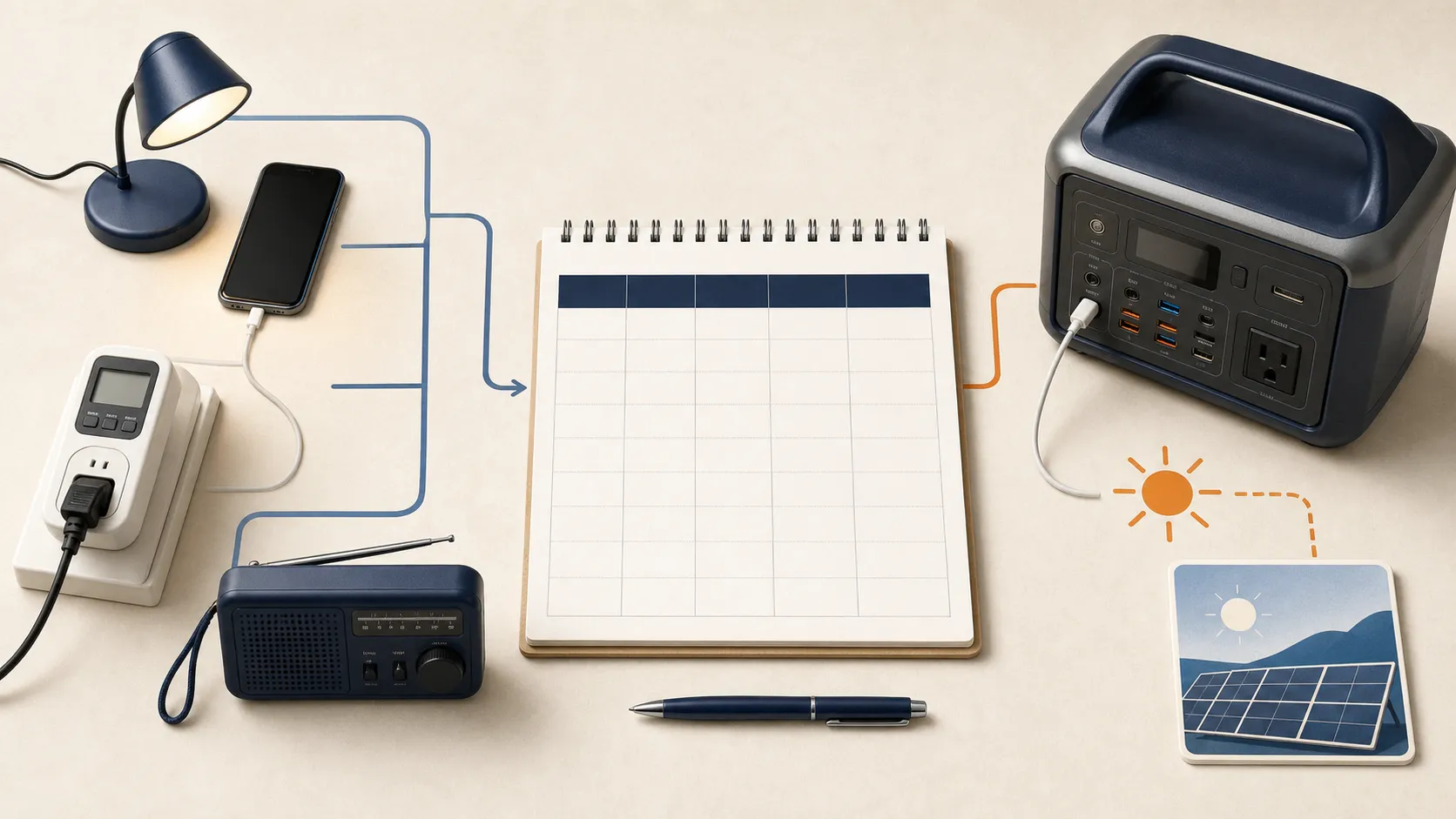
Build the load list around a defined outage job, such as keeping phones, lights, a modem, and one refrigerator available. Do not begin with every appliance in the home. Use the printable Essential-Load Backup Power Worksheet to log each device’s nameplate running watts and starting surge.
For plug-in electronics, a suitable meter can provide running watts and watt-hours. For hardwired loads or home circuits, use manufacturer information and qualified electrical help.
List two numbers where relevant:
- Running power: the watts drawn after the device is operating.
- Starting demand: the brief higher demand that some motors, compressors, and pumps require when they start.
Add the running watts for devices that may operate at the same time. Compare that total with continuous output, but keep starting demand as a separate check. The runtime formula cannot prove that an inverter will start a refrigerator, sump pump, or other motor load. Confirm the exact appliance demand and the battery system’s surge rating, duration, and limits.
For powered medical equipment, use the device manufacturer’s backup instructions and make the outage plan with the care team. A consumer calculator does not establish medical compatibility or life-safety reliability.
Step 3: Handle cycling loads honestly
A refrigerator, pump, fan, or thermostat-controlled device may cycle instead of running continuously. Entering its running watts as a constant load can understate or overstate the useful runtime, depending on how the device behaves and what else is running.
For energy planning, measure a representative interval and calculate average power:
average watts = measured watt-hours / measurement hours
For example, a refrigerator that uses 900 Wh during a 12-hour representative period averages 75 W over that period. Weather, door openings, room temperature, settings, and the condition of the appliance can change the next interval. Keep the compressor’s starting demand on the separate surge checklist even when using average watts for an energy estimate. Do not use that interval average to check continuous inverter output: compare the simultaneous running watts of loads that may overlap with the inverter rating, and check starting demand separately.
In the calculator’s measured-energy mode, use a complete 24-hour measurement for all selected and custom loads together. A measured total of 900 Wh over 24 hours means an average energy load of 37.5 W. Do not enter the 900 Wh from the 12-hour example above as a full-day measurement. Keep reserve and battery conversion losses out of this appliance-energy input; the calculator applies them once. Measured energy does not verify motor startup or refrigerator food safety.
Repeat measurements in the season you are planning for. A refrigerator in a hot room, a heating-system control during winter, and a sump pump during a storm may not follow an ordinary day’s pattern.
Step 4: Choose a reserve you can explain
A reserve is energy you choose not to count on. It creates room for uncertainty, an unexpectedly long outage, a load you missed, or the need to shut down before the battery is fully depleted. It is not a universal battery-protection rule.
Use the exact manual if it defines a minimum state of charge, recommended depth of discharge, or emergency reserve. Otherwise, choose a planning reserve and label it as your assumption. The calculator accepts 0 to 50 percent so you can compare scenarios without pretending one percentage fits every chemistry, system, warranty, or outage plan.
Compare a documented manufacturer limit, a conservative household reserve, and a load-shedding case. This shows whether the plan depends on nearly every available watt-hour.
Step 5: Account for conversion loss without false precision
AC devices receive energy through an inverter, and the battery system also uses some energy for controls and standby operation. DOE explains that energy storage and retrieval always involve some loss. The exact loss varies with the system, load, output type, temperature, and operating state.
Use manufacturer data for the relevant operating range when it is available. If it is not, use the calculator to compare conservative assumptions rather than presenting an unsupported efficiency as a fact. Do not add a second generic loss factor later unless it represents a separate documented part of the power path.
DC output may follow a different conversion path from an AC outlet. Solar input, pass-through charging, expansion batteries, and uninterruptible-power features can also change system behavior. Use them only in configurations the manufacturer supports.
Worked example
Suppose a battery has 1,000 Wh of nameplate capacity. The planned continuous load is 100 W. You choose to hold 20 percent in reserve and use an 85 percent conversion-efficiency assumption.
- Energy after reserve:
1,000 Wh x 0.80 = 800 Wh - Estimated usable AC energy:
800 Wh x 0.85 = 680 Wh - Estimated runtime:
680 Wh / 100 W = 6.8 hours
For 24 hours at the same constant 100 W load and the same assumptions, the nameplate capacity calculation runs in reverse:
(100 W x 24 hours) / (0.80 x 0.85) = 3,529 Wh
The calculator rounds that planning capacity upward to 3,600 Wh. That does not mean a 3,600 Wh product is automatically suitable. Continuous output, starting demand, usable-capacity rules, environmental limits, charging, listing, cords, and the connection method still need review. To list your actual running devices and starting surge values before calculating runtime, record them in the Essential-Load Backup Power Worksheet.
Temperature, age, settings, and condition
Runtime can change with age and operating conditions. Temperature may affect available energy, allowed charging, output, or protective shutdown. Settings, standby mode, cable condition, and expansion batteries can also alter the result.
Do not correct for these variables with a universal multiplier. Check the exact manual, inspect the equipment, review any diagnostic or capacity information the manufacturer provides, and repeat the load test over time. If the system is damaged, swollen, wet, unusually hot, recalled, or repeatedly faulting, stop using it and follow manufacturer or qualified-service guidance.
The Battery Types Guide explains why chemistry alone does not determine system fit. The LiFePO4 Maintenance Checklist covers manual-specific inspection, storage, temperature, and test records.
Run a controlled test before an outage
Use a test to replace assumptions with observations, while staying within the manual and your level of competence.
- Inspect the battery, approved cables, plugs, and planned loads.
- Place and operate the system exactly as its manual requires.
- Charge it as directed and record the starting state.
- Connect only supported plug-in loads. Do not alter home wiring or improvise a transfer connection.
- Start motor loads one at a time and watch for faults, overloads, or shutdowns.
- Record watts, elapsed time, remaining energy, temperature conditions, and any cycling behavior.
- Stop if the equipment becomes unusually hot, smells abnormal, shows damage, or reports a fault.
- Recharge and store the system according to the manual.
A short successful test does not guarantee performance through a long outage, but it can reveal a missing adapter, an unrealistic load list, an unsupported startup demand, or a battery that performs differently from the estimate.
For a permanently connected home battery, transfer equipment, or hardwired circuits, use a qualified designer or electrician and follow local permit, inspection, fire, and utility requirements. See the DIY Home Battery Planning Guide before treating separate components as a household system.
Questions about estimates and real runtime
Can I divide battery watt-hours by appliance watts?
That is the starting formula, but nameplate watt-hours are not necessarily the usable AC energy available to the appliance. Apply the documented usable-capacity limit or a stated reserve and an appropriate conversion assumption, then check continuous and starting power separately.
Why did the battery shut down before the estimated time?
Possible causes include a higher or cycling load, motor startup, temperature, standby consumption, a system setting, protective shutdown, battery condition, or an incorrect capacity or efficiency assumption. Record the fault and setup, then follow the exact manual rather than repeatedly clearing an unexplained shutdown.
Does solar charging make the runtime unlimited?
No. Solar production changes with season, time, clouds, shade, orientation, and weather, while the battery has input and charging limits. Use the Solar Sizing Guide and location-specific production data for a separate recharge plan.
What should I plan after runtime?
Decide which load will be shed first, when and how the battery will recharge, where the system can operate safely, and what works if the outage lasts longer than expected. Use the Home Backup Power Systems Guide to fit the estimate into a plan for recharge, safe connections, load shedding, and a longer outage.