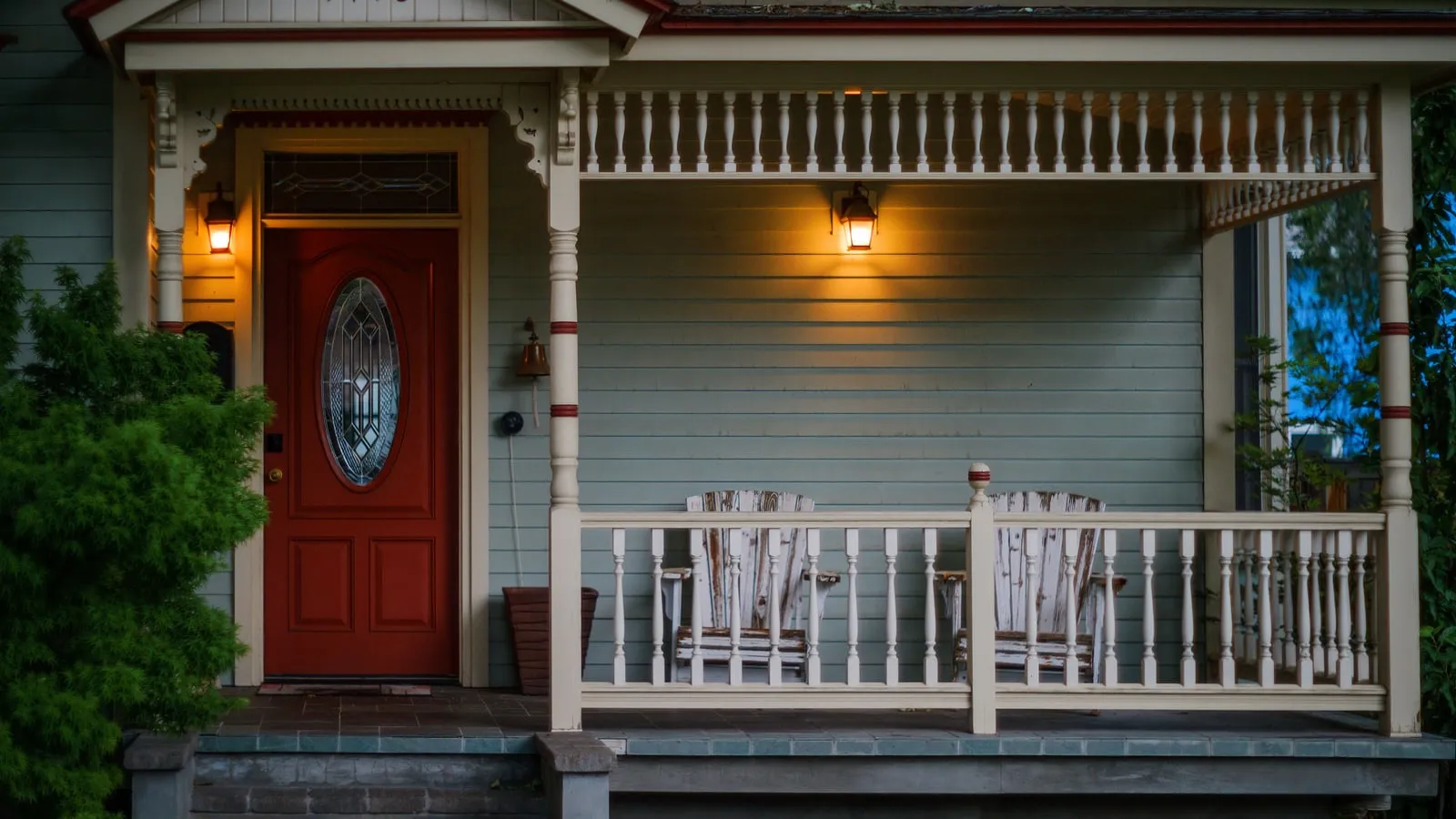
Exterior security cameras and smart phone push notifications cannot stop an intruder from kicking through a standard residential entry door. When an exterior door frame fails, it almost never fails at the lock cylinder or deadbolt brass: it fails because the strike plate was anchored into soft 3/4-inch pine decorative trim with standard 3/4-inch factory screws. Under dynamic impact, that decorative pine trim splinters in under two seconds.
A resilient household security posture is built across seven interlocking physical and operational rings. No single electronic gadget replaces mechanical boundary strength, consistent human locking routines, or verified offline emergency response protocols.
Start with the home you have
Walk through the routes your household actually uses. Repairing one unreliable latch or updating one forgotten contact can be more useful than buying another connected device.
Begin with a 20-minute walk-through
Walk from the street to every normal entry in daylight and after dark. Include the garage-to-house door, patio doors, basement entries, accessible windows, gates, and any shared building entrance you rely on. Try each route while imagining groceries, children, pets, limited mobility, or a power outage.
Record observations without publishing a detailed map of your security setup:
- Doors, frames, locks, windows, or gates that do not close cleanly or exhibit loose hinge screws.
- Shrubs, stored items, or parked vehicles that block a household member’s view of walking paths.
- Dark exterior alcoves where shielded downward illumination would improve safe keyway access without causing blinding glare.
- Spare keys, deliveries, access codes, or contractor credentials that lack an expiration schedule.
- Cameras or alarms that depend entirely on home broadband Wi-Fi, vendor cloud servers, or a single smart phone.
- Smoke or carbon monoxide alarms that require decibel and functional sensor maintenance.
- An emergency fire escape route that a secondary deadbolt or window security bar could block during an evacuation.
Put life-safety and emergency egress first. Never install a lock, double-cylinder deadbolt requiring an interior key, or window security grille that could trap an occupant during a residential structure fire. Comply with local residential building and fire prevention codes.
Seven layers from physical access to outage fallback
1. Sound doors, windows, and access control
Start with the physical envelope. Exterior doors must be solid wood, solid core wood-composite, or 24-gauge insulated steel. Hollow-core doors belong exclusively in interior bedrooms; an adult can fracture a hollow-core door with a single kick.
The physics of door kick-in resistance and screw anchoring
Understanding the physics of forced entry demonstrates why standard builder installations fail:
- Dynamic Impact Force: A 200 lb intruder delivering a running heel kick delivers an impact force of roughly 450 to 650 ft-lbs (610 to 880 Joules) of kinetic energy concentrated directly at deadbolt height.
- The Factory Screw Weakness: Factory strike plates supplied with consumer locks include 3/4-inch #8 wood screws. These screws penetrate only 0.5 inches into the decorative pine door jamb trim (3/4 inch thickness).
- Shear and Split Failure: Softwood pine exhibits a low perpendicular-to-grain shear strength (roughly 350 psi). Under 450 ft-lbs of dynamic impact, the short 3/4-inch screws split the decorative jamb trim along the grain at only 110 to 140 ft-lbs of applied force. The door pops open on the first kick with the deadbolt bolt still extended.
- Structural Stud Hardening: Replacing standard hardware with an extended heavy-duty commercial strike plate (containing 4 staggered screw holes) and installing 3-inch #10 case-hardened steel screws fundamentally shifts the physics:
- The 3-inch screw passes through the 3/4-inch jamb casing (0.75 in).
- It bridges the rough-in shim airspace (0.50 in).
- It anchors a full 1.75 inches deep into the house framing—two sistered 2x4 spruce-pine-fir (SPF) structural wall studs.
- Net Kinetic Resistance: Anchoring four #10 hardened steel screws 1.75 inches into structural studs increases lateral withdrawal and shear resistance past 800 ft-lbs (1,085 Joules), exceeding ANSI/BHMA A156.5 Grade 1 standards and forcing an intruder to spend minutes with heavy sledge tools rather than kicking through the jamb in two seconds.
Apply the same mechanical discipline to door hinges: replace at least two factory 3/4-inch screws on each hinge leaf with 3-inch screws driven straight into the wall stud framing. On sliding patio glass doors, install a secondary aluminum track-lock or an adjustable steel charlie-bar: factory patio latch hooks use pot-metal cams that fail under 75 lbs of prybar leverage.
2. Repeatable arrival, departure, and bedtime habits
The useful routine is short enough to survive a rushed day. Assign actions rather than assuming someone else handled them.
When leaving: close and lock normal entries, confirm the garage overhead door fully seals to the concrete apron before driving away, secure exterior keys, and arm the security system in Away mode.
When arriving: close the garage door immediately upon pulling inside, lock the interior garage entry door behind you, and investigate an unexpected open entry, broken latch, or alarm activation notice from a safe outdoor retreat. If you suspect an intruder is inside, never enter the structure. Move to an open perimeter position and dial 911.
Before sleep: inspect the primary perimeter entry points, arm the security system in Stay mode (arming perimeter contact reeds while bypassing interior motion sensors), verify mobile handsets are charging beside sleeping quarters, and ensure interior exit paths remain completely clear of trip hazards.
For a room-by-room action list, use the DIY home security checklist.
Radon is a separate measurement question; smoke and carbon monoxide alarms do not test for it. For that task, use the radon test-results guide and follow the test kit or state program instructions.
3. Sightlines and useful lighting
Lighting should help a resident see the path, lock, visitor, and surrounding area. It should not create glare so severe that the camera or person behind it cannot see. Aim and shield fixtures to reduce spill into neighboring homes and public areas, and follow local lighting rules.
Trim vegetation enough to restore normal visibility without creating hiding places or damaging plants. Keep ladders, tools, and heavy objects secured so they are not easy to misuse. Address numbers should be visible to responders where local guidance calls for them.
Test lighting from the actual doorway and walking path. Motion activation can be useful, but the controls should be understandable and a failed network should not prevent basic operation. A charged flashlight or battery lantern is a safer outage tool than relying on candles.
4. Cameras with a defined job and privacy boundary
A camera can notify you of activity and preserve a record. It cannot reinforce a door, guarantee recognition, or safely confront a person. Before buying or mounting one, write its job in one sentence, such as “show whether a package is at the front door” or “alert the household when someone enters the side path.”
Choose the position after considering:
- The smallest useful field of view, avoiding bedrooms and private household areas
- Neighboring property, shared hallways, sidewalks, and local recording laws
- Whether audio recording is necessary and lawful in your location
- Night lighting, backlighting, weather exposure, mounting, and power
- What is recorded locally, what is uploaded, how long it is retained, and who can view or share it
- What happens when power, internet, the app, or the vendor’s cloud is unavailable
The Federal Trade Commission recommends researching encryption and security features, securing the home router, installing updates, using a unique password, and turning on two-factor authentication when available. Grant the minimum app permissions each household member needs and review access after guests or service providers leave.
Use the home security camera selection guide to compare power, storage, privacy, and support policies without depending on a temporary product ranking.
5. Alarms and monitoring with a response plan
An alarm system requires a rapid, unambiguous response path. Distinguish local auditory sirens (designed to disorient intruders and alert sleeping occupants) from off-site central monitoring signals (dispatched to dispatchers).
Sizing alarm control panel backup battery runtime
Security panels must maintain active intrusion monitoring through utility grid failures:
- Standard Alarm Panel Power Architecture: A commercial hybrid security panel (e.g., DSC PowerSeries Neo or Honeywell Vista) runs off an auxiliary 16.5V AC plug-in transformer backed by an internal rechargeable 12V Sealed Lead-Acid (SLA) AGM battery.
- Standby Current Load Budget:
- Main Controller PCB: 120 mA
- Two Backlit Alphanumeric Keypads: 2 × 40 mA = 80 mA
- Eight Hardwired EOLR Door/Window Zones: 8 × 5 mA = 40 mA
- Two PIR Motion Detectors: 2 × 15 mA = 30 mA
- Cellular Communicator (LTE/5G Polling Mode): 80 mA
- Net Standby System Current: 120 + 80 + 40 + 30 + 80 = 350 mA (0.35A continuous at 12V DC = 4.2W).
- Alarm State In-Rush Load: During an active burglary alarm trip, an external 30W electronic siren draws 1.20A for 4 minutes (NFPA 72 residential audible timeout).
- Battery Capacity Sizing with Peukert Derating: A standard 12V 7.0 Ah SLA battery provides 84 Wh gross energy. Factoring in low-rate continuous discharge, cell aging after 2 years in float service (80% health), and internal low-voltage disconnect cutoff at 10.5V:
- Usable Energy: 84 Wh × 0.70 = 58.8 Wh
- Standby Backup Autonomy:
- Runtime: 58.8 Wh ÷ 4.2W = 14.0 hours A 7.0 Ah battery safely covers an overnight 12-hour grid outage. For households in severe winter storm zones seeking UL 985 24-hour monitoring compliance, upgrade the cabinet battery to a 12V 14.0 Ah SLA pack (117.6 Wh usable), delivering 28.0 hours of offline sensor autonomy.
Ask a provider or installer:
- Which sensors operate during a power or internet outage, and for how long?
- Is cellular communication included, optional, or unavailable at this address?
- Who owns the equipment, and can it work if monitoring is canceled?
- Who is called first, and what occurs if no contact answers?
- What registration, permit, or false-alarm rules apply locally?
- How are smoke, carbon monoxide, medical, water, and intrusion signals handled?
For a contract and system worksheet, see how to choose a DIY security system.
6. Secure accounts, devices, and the home network
Connected security cameras, doorbells, and alarm bridges introduce network vulnerabilities if left unmanaged:
- Virtual Local Area Network (VLAN) Isolation: Segment all consumer IoT devices (cameras, Wi-Fi locks, smart hubs) onto an isolated 802.1Q VLAN. Block inter-VLAN routing so compromised camera firmware cannot scan or access private laptops, personal phones, or network-attached storage servers.
- Enforce Hardware Multi-Factor Authentication (MFA): Protect security camera and alarm master accounts with FIDO2 hardware security keys (e.g., YubiKey) or time-based one-time password (TOTP) authenticator apps. SMS-based verification is vulnerable to SIM-swap interception.
- Disable Universal Plug and Play (UPnP): Disable UPnP in your core gateway router settings. UPnP allows network cameras to open external forwarding ports automatically, exposing raw video streams to public internet port scrapers.
- Local Network Recording (NVR) vs. Cloud: Whenever practical, select surveillance hardware supporting direct Power-over-Ethernet (PoE) and Onvif / RTSP protocols feeding a local Network Video Recorder (NVR) housed in a locked utility closet. Local NVRs operate completely offline without internet broadband, preserving full 24/7 recording during ISP fiber outages.
7. Outage and offline fallback
List every security function that depends on utility power, internet service, cellular coverage, a vendor cloud, or a working phone. Then give each important function a manual fallback:
- Physical Key Access: Ensure at least two adult household members carry a physical mechanical deadbolt key that bypasses battery motors.
- Garage Overhead Door Manual Disconnect: Know the location of the red emergency release pull-cord on your overhead garage door opener. When pulled downward and backward, the trolley carriage unlatches from the track, allowing manual lifting of the door. When power returns, re-engage the trolley latch into the drive chain so the door deadbolts securely against upward prying.
- Auxiliary Illumination: Mount dedicated rechargeable emergency LED plug-in flashlights in main hallways. These units remain plugged into wall outlets; when grid power fails, their internal lithium cells energize downward floor path illumination automatically.
- Written Monitoring Account Protocol: Keep an offline laminated card containing your alarm account number, monitoring central station dispatch telephone number, and spoken verbal pass-phrase. If cell service drops, you can authenticate your alarm status from any landline or neighbor’s telephone.
Use the outage-readiness calculator to plan the wider household outage window, then complete the power outage home security plan for device-by-device security fallbacks.
Build a one-page home security plan
Compare the operational strengths, hardware requirements, and specific failure boundaries across the seven defense rings:
| Defense Ring | Primary Hardening Action | Critical Hardware or Standard | Primary Failure Mode | Who Should Skip It / Fails When |
|---|---|---|---|---|
| 1. Physical Shell & Locks | Anchor door strike plates and hinges with 3-inch #10 screws directly into 2x4 framing studs. | ANSI/BHMA Grade 1 deadbolts (1-inch bolt throw; anti-saw hardened steel pins). | Wood frame splitting; pot-metal latch failure under prybar load. | Never skip on ground-floor exterior doors. Fails when door slab is hollow core; kicks punch directly through wood veneer. |
| 2. Daily Habit Protocols | Establish automatic departure and bedtime locking checklists. | Key organizer tray; bedtime perimeter visual check. | Human complacency; assuming a roommate locked the rear patio slider. | Never skip. Fails when complex procedures overwhelm rushed family members; keep routine under 60 seconds. |
| 3. Sightlines & Lighting | Prune foundation shrubs below sill height; install downward-shielded motion lighting. | Dark-Sky compliant LED fixtures (2700K to 3000K; 800–1200 lumens). | Glare blindness; unshielded lights casting deep shadows where intruders hide. | Skip high-output stadium floodlights. Fails when fixtures blind your own security cameras with backscatter wash. |
| 4. Visual Cameras | Install entry chokepoint cameras with local microSD or hardwired NVR storage. | High-dynamic-range (HDR) PoE cameras with local RTSP recording. | Wi-Fi deauthentication attacks; cloud subscription server outages. | Skip battery-powered wireless cameras for high-traffic front gates. Fails when battery depletes during winter cold snaps. |
| 5. Intrusion Alarms | Deploy hardwired or encrypted wireless door reed contacts and an interior 105 dB siren. | UL 681 / UL 1023 listed intrusion panels with dual-path LTE cellular reporting. | High false-alarm rates prompting household to leave the system disarmed. | Skip unmonitored plastic sirens in remote rural homes. Fails when neighbors are too distant to hear siren alerts. |
| 6. Network Hardening | Isolate connected cameras and smart locks on a separate IoT VLAN; enforce FIDO2 MFA. | Managed L2 switch with 802.1Q VLAN tagging; WPA3-Enterprise / WPA3-Personal. | Default password exploitation; UPnP automated port forwarding. | Skip complex network configurations if using completely offline, non-connected analog deadbolts and wired intercoms. |
| 7. Outage Fallbacks | Stage mechanical override keys, 14-hour alarm panel batteries, and garage manual releases. | 12V 7.0 Ah to 14.0 Ah AGM SLA batteries; manual emergency pull-cords. | Battery depletion during multi-day storms; jammed mechanical key cylinders. | Never skip on all-electronic smart homes. Fails when keyless exterior doors leave occupants locked out during blackouts. |
Post-incident troubleshooting, room-by-room audit, and maintenance cadence
A home security system degrades over time if mechanical fasteners loosen, batteries oxidize, and firmware updates lapse. Establish a recurring 30-day inspection schedule to audit every physical and electronic opening:
- First Saturday Door and Window Mechanical Check: Open each exterior door to a 45-degree angle; confirm hinges do not sag and the gap between door slab and jamb remains a uniform 1/8 inch. Inspect the deadbolt throw: the 1-inch bolt must slide fully into the strike box without dragging. Tighten strike plate and hinge mounting screws firmly.
- Sliding Glass Door Track and Anti-Lift Audit: Clean grit from patio door bottom tracks using a vacuum and stiff brush. With the patio door locked, attempt to lift the door slab vertically upward inside its frame: if the top clearance allows the bottom rollers to jump the track, drive two pan-head sheet-metal screws into the upper track header, leaving just enough screw-head clearance to block vertical lifting while allowing smooth sliding.
- Alarm Sensor and Battery Terminal Inspection: Walk the perimeter with your alarm keypad in “Chime” mode. Open each window and door individually; verify the keypad chimes within 0.5 seconds of contact separation. For wireless sensors using CR123A or CR2032 lithium cells, inspect terminals for white corrosion residue and test sensor signal strength through the installer diagnostic menu.
- Camera Field of View and Lens Maintenance: Wipe camera dome covers and exterior lenses with a clean microfiber cloth to remove spiderwebs and dust accumulation that trigger false infrared motion alerts at night. Verify camera framing still covers the intended walking path and that seasonal tree branch growth does not block illumination paths.
- Local Storage and Video Playback Verification: Pull a 30-second recorded clip from your local NVR or camera SD card onto a computer once per quarter. Confirm the video file plays cleanly, timestamp watermarks synchronize with network time protocol (NTP), and license plates or facial details remain legible under nighttime infrared lighting.
- Quarterly Garage Door Reversal and Manual Release Test: Place a 2-inch thick wood block flat on the garage floor beneath the center of the overhead door. Press the wall button to close the door: upon contacting the block, the opener motor must automatically reverse direction within 2 seconds. Next, disconnect the emergency release cord and manually lift the door: it should rise smoothly and remain balanced in the track at waist height without dropping. Re-engage the trolley carriage immediately.
- Network Account Credential and Firmware Audit: Log in to your central router gateway and NVR admin console. Review connected DHCP leases for unauthorized MAC addresses. Apply pending security firmware patches and rotate passwords for any guest credentials or mobile app invitations issued during home renovations or house-sitting periods.
Execute a comprehensive room-by-room walk-through after severe windstorms, seismic tremors, household moves, or structural remodeling using the DIY home security checklist. Systematic mechanical maintenance ensures every physical boundary and automated alert operates reliably before an intrusion attempt tests your perimeter.