In this guideJump to a section
- Decide what the system must do
- Choose self-monitoring, professional monitoring, or both
- Map every communication dependency
- Select sensors from the home, not the starter kit
- Make household usability a requirement
- Review cybersecurity and privacy
- Read the ownership, service, and cancellation terms
- Compare the full system with one worksheet
- Install and test without creating an emergency
- Primary sources
A DIY alarm system can coordinate door, window, motion, glass-break, camera, and environmental sensors. It cannot make unsafe hardware sound, guarantee that an alert reaches a responder, or replace a household emergency plan.
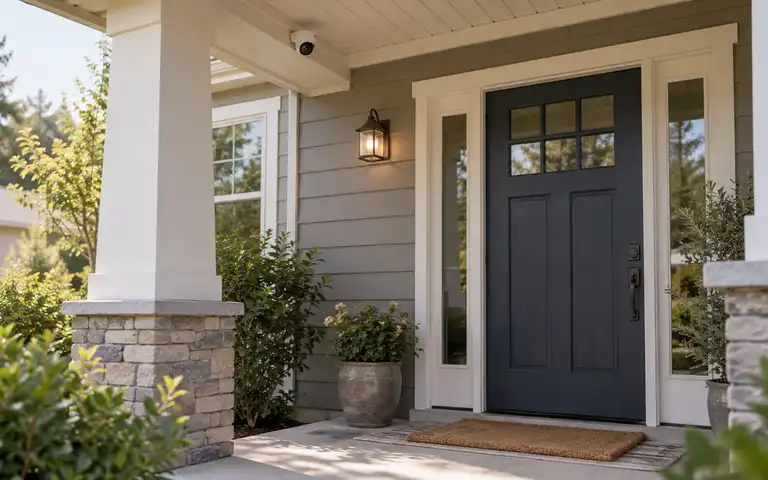
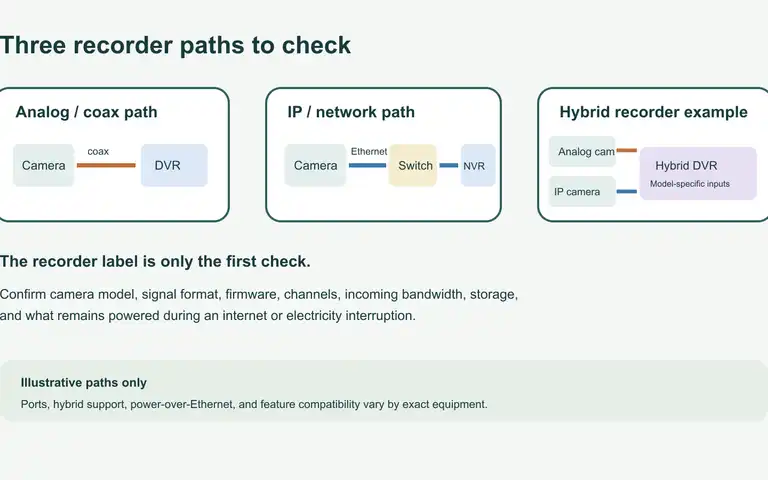
The illustration is a conceptual comparison aid; it does not show tested system behavior, a product ranking, or installation instructions.
This guide does not declare a permanent brand winner. Equipment, monitoring plans, service areas, integrations, and contract terms change. The reliable way to choose is to define the response you need, document every dependency, and compare current written terms from each provider.
Start with Home Security Basics. Repair failed locks, doors, windows, lighting, and emergency exits before using electronics to report those same defects.
Decide what the system must do
Write the desired outcome before selecting a kit. Separate intrusion functions from life-safety and convenience functions.
Possible intrusion goals include:
- Sound a local alarm when an armed exterior door opens
- Notify authorized household members about a specific sensor
- Send a verified signal to a monitoring center under defined conditions
- Provide an accessible arming and disarming method for every resident
Environmental and life-safety goals may include smoke, carbon monoxide, water, temperature, or medical alerts. Do not assume a smart accessory or general alarm sensor meets the listing, placement, interconnection, monitoring, or local code requirements of a dedicated life-safety alarm. Confirm current documentation with the provider, manufacturer, and local fire authority.
The U.S. Fire Administration recommends smoke alarms inside and outside sleeping areas and on every level of the home, along with regular testing and maintenance. Follow its guidance, local requirements, and the exact alarm instructions.
Choose self-monitoring, professional monitoring, or both
Self-monitoring
The system sends alerts to household members, who decide what to do. This can avoid a monitoring contract, but it depends on someone receiving, understanding, and safely responding to an alert. Travel, sleep, poor signal, a dead phone, or notification settings can delay awareness.
Ask:
- How many users can receive an alert?
- Are local siren and app notifications included without a subscription?
- Can alerts be routed differently by time or sensor?
- What can a user see before deciding whether to contact emergency services?
- What happens if the account, app, internet, or vendor service is unavailable?
Professional monitoring
A monitoring center receives eligible signals under the service plan and uses the provider’s documented process. Monitoring does not mean automatic or guaranteed emergency dispatch. Verification, communication availability, sensor type, service terms, local policy, and the facts of the event all matter.
Ask the provider to explain in writing:
- Which signals the center receives and which it does not
- Who is contacted, in what order, and from what number
- What occurs when no contact answers or the passcode is unavailable
- How police, fire, medical, panic, and environmental signals differ
- Whether video or audio is reviewed, and what permissions that requires
- Which service limitations apply during outages, congestion, or disasters
A combined plan
Some households use local alarms, household notifications, and a monitoring service together. More channels can add resilience only if users understand them. A confusing set of duplicate alerts can slow a response. Create one short decision tree and rehearse it with provider-approved test tools.
Map every communication dependency
“Cellular backup” is not a complete resilience plan. Coverage, plan inclusion, panel power, tower availability, account status, and the specific signal path still matter.
For each candidate, fill in:
| Condition | Local siren | Household alert | Monitoring-center signal |
|---|---|---|---|
| Utility power unavailable | |||
| Home internet unavailable | |||
| Local cellular service unavailable | |||
| Vendor cloud or app unavailable | |||
| Household phones unavailable |
Ask for the expected panel and accessory battery runtime under your actual configuration, not only a maximum marketing claim. Document which sensors use their own batteries, how low-battery warnings work, and who replaces approved battery types. Batteries age, and cold, event frequency, radio use, and configuration can affect runtime.
Build the wider fallback with the power outage home security plan.
Select sensors from the home, not the starter kit
Walk through the property using the DIY home security checklist. List the openings and conditions that actually need detection. A prepacked kit may include too many of one sensor and not enough of another.
Door and window contact sensors
These generally report a change between paired parts. Confirm mounting surfaces, spacing, weather limits, battery access, and whether a magnet or sensor would interfere with the door, window, warranty, or required egress.
Motion sensors
Placement, room layout, heat sources, pets, sunlight, and household routines can affect operation. Use the manufacturer’s placement and pet guidance. Do not aim for total interior surveillance when a smaller, privacy-respecting zone meets the goal.
Glass-break or acoustic sensors
Coverage claims depend on room acoustics, distance, barriers, and compatible glass. Verify the intended environment and approved test procedure. Do not strike or break glass to test a sensor.
Cameras and video verification
Video can add context, but it adds privacy, storage, account, and sharing decisions. Determine exactly when a monitoring center or provider may view a camera, how consent is managed, and how access is logged or revoked. Use the home security camera selection guide for a detailed evaluation.
Smoke, carbon monoxide, medical, and water devices
Ask whether a device is an alarm, a listener for another alarm, or a supplemental notification sensor. Those roles are not interchangeable. Confirm required listings, placement, service behavior, and local requirements with authoritative instructions and officials.
Make household usability a requirement
The system should work for residents with different ages, languages, vision, hearing, dexterity, memory, technology access, and routines.
Evaluate:
- Keypad, key fob, app, voice, and physical-key options
- Audible, visual, vibration, and spoken feedback
- Entry and exit delays that fit normal movement without creating confusion
- Guest, caregiver, cleaner, contractor, and short-term access controls
- A way to operate essential functions when a phone is lost or uncharged
- Clear panic and duress features, if offered, with provider training
- An accessible support channel and replacement process
Do not share one administrator password among the household. Prefer named users with only the access each needs. Keep recovery methods current and remove former users promptly.
Review cybersecurity and privacy
The Federal Trade Commission advises changing default credentials, using unique passwords, installing updates, turning on available two-factor authentication, and disabling features you do not use on connected home devices.
Ask each provider:
- Which account roles and multi-factor authentication methods are available?
- Can installers or support personnel retain remote access, and how is it revoked?
- What event, video, audio, household, and location data is collected?
- How long is it retained, and how can a user export or delete it?
- Which integrations share data with other companies?
- How are security updates delivered, and what is the support period?
- What happens to data and equipment when service ends or the home is sold?
Remove unneeded integrations. A voice assistant, automation platform, insurer, or neighborhood-sharing feature should not receive security data merely because it is convenient to connect.
Read the ownership, service, and cancellation terms
The FTC advises consumers to research providers, get references, ask detailed questions, and read the written contract before signing. Door-to-door pressure, claims that equipment is “free,” and an unexpected person claiming to replace an existing provider are reasons to slow down and independently verify.
Get written answers for:
- The equipment, installation, activation, shipping, permit, and service charges
- Whether hardware is purchased, financed, leased, or returned at cancellation
- The minimum service term, renewal process, and price-change provisions
- Early termination, moving, pause, transfer, and cancellation procedures
- Which features remain available without paid monitoring
- Warranty responsibility, replacement shipping, and paid repair terms
- Trial or return conditions, including damage or restocking provisions
- Any local registration and false-alarm fees or requirements
Do not rely on a salesperson’s verbal promise. Ask that every promise appear in the current written agreement. Consumer cancellation rights vary by transaction and location, so use the FTC’s current guidance and contact the relevant state or local consumer-protection office when needed.
Compare the full system with one worksheet
Print the table or copy it into a private document. Make one copy for each candidate, naming the exact equipment and service plan and the date of the written terms. Two plans from the same provider may have different answers.
For each answer, use one of three labels:
- Documented: record the answer and the manual section or current written term.
- Not included: cite the current written term showing that a required function is unavailable.
- Unverified: keep the question open until the provider supplies applicable evidence.
An unanswered outage question stays unverified; it does not become a yes because the box says “backup.” Compare candidates against the household requirements you identified, rather than counting how many features appear in an advertisement.
| Decision | Candidate answer |
|---|---|
| Required sensors and quantities | |
| Local alarm behavior | |
| Self-monitoring behavior | |
| Professional monitoring process | |
| Power, internet, and cellular fallback | |
| Expected backup runtime for this configuration | |
| Equipment ownership and end-of-service behavior | |
| Contract term and complete cancellation method | |
| Account roles, multi-factor authentication, and updates | |
| Data retention, sharing, export, and deletion | |
| Accessibility and manual operation | |
| Local registration, permit, and false-alarm rules |
Calculate the total commitment across the period you expect to use it. Include equipment, required subscriptions, installation, batteries, replacement parts, storage, permits, and cancellation obligations. Avoid using an advertised introductory payment as a substitute for the written total.
Install and test without creating an emergency
Follow the instructions for mounting, sensor spacing, power, and account setup. Do not drill into unknown wiring, plumbing, fire-rated assemblies, rental property, or common areas. Use a qualified installer where the work requires it.
Before testing:
- Read the provider’s test procedure.
- Place the system in its approved test mode.
- Notify the monitoring center when instructed.
- Test normal opening and movement, not forced entry or broken glass.
- Confirm the sensor name, local signal, household alert, and monitoring record.
- Exit test mode and verify the intended armed or disarmed state.
Never stage a burglary, create smoke or carbon monoxide, or assume emergency services know a signal is only a test.
Primary sources
- FTC: How To Avoid Scams When You Shop for a Home Security System
- FTC: Securing Your Internet-Connected Devices at Home
- U.S. Fire Administration: Smoke Alarms
Complete the room-by-room DIY home security checklist if you have not yet identified the openings, access needs, and outage gaps a system must address. Bring those requirements to the comparison record; keep unverified answers on the question list before requesting a quote.