In this guideJump to a section
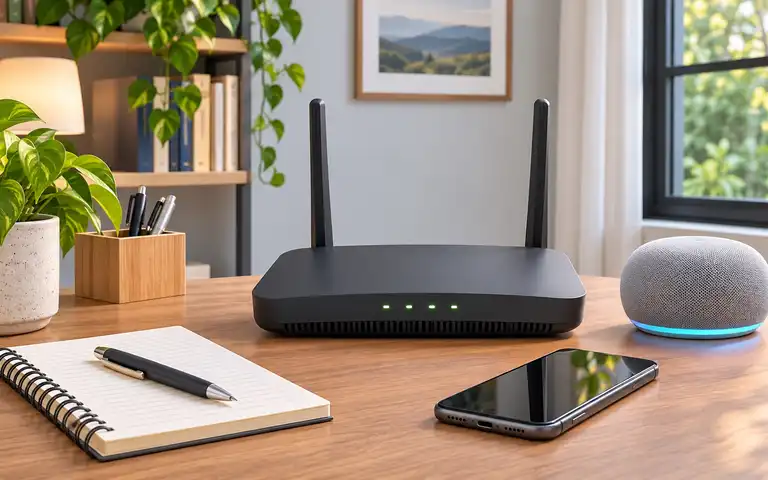
When home broadband fails, a phone may still have cellular service. But enabling its hotspot is not equivalent to a router automatically keeping an entire household online. The first decision is which devices really need backup internet, for how long and at what cost.
Use this guide to choose an internet failover path. See fiber ONT power backup for keeping fiber equipment powered and backup power for electronics for watts and batteries.
Compare the alternatives
| Decision | Phone hotspot | LTE/5G router failover |
|---|---|---|
| Start when ISP fails | Usually manual | Can be automatic on documented supported gateways |
| Household connection | Rejoin selected clients | Existing Wi-Fi/LAN clients may remain connected |
| Network hardware power | Phone and client power | Gateway, cellular modem, access points, any switch |
| Data costs | Carrier tethering limits | Separate SIM/service, caps, overages or speed reductions |
| Upstream outage | Depends on mobile coverage | Also depends on mobile coverage |
| Return to primary | Manually reconnect | Behavior defined by router health and routing settings |
A UniFi multi-WAN guide shows how supported models can prefer primary broadband and use a backup interface when upstream health fails. It does not prove a router with a USB socket accepts a cellular modem or that an active video call will survive a public IP address change.
A second internet path is not a second power path
A cellular modem plugged into an unpowered gateway is not useful during a blackout. Powering a modem alone may not power the Wi-Fi access point that sends a laptop traffic. Make a complete list of devices and their consumption and follow the manufacturer’s electrical instructions; never improvise household wiring.
An ISP outage and a cell-network congestion event can occur together. Check signal at the intended indoor location, the subscription’s supported hardware and any geographic restrictions.
Desk UPS · 1,000 VA / 600 W PFC Sine Wave
CyberPower CP1000PFCLCD
- Maximum real output (W)
- 600 W
Maintains uninterrupted pure sine wave battery power to cellular routers, modems, and Wi-Fi access points when grid electricity flickers or drops.
Check first: CyberPower product-page warning excludes high-drain, medical and aquatic equipment and also lists laser printers, space heaters, copiers, shredders, vacuums and curling irons; check the actual current manual.
Specifications & research
1000 VA / 600 W sine wave gateway backup. Source records checked on 2026-10-25. Manufacturer research, not hands-on testing.
- Rated apparent power (VA)
- 1,000 VA · Source checked 2026-10-25
- Maximum real output (W)
- 600 W · Source checked 2026-10-25
- Listed weight
- 15.39 lb · Source checked 2026-10-25
Manufacturer documentation. Check the exact model, combined device watts, backed outlet assignment, and each connected device's transfer tolerance.
Pocket / Kit · 86.4 Wh 140W Power Bank
Anker 737 Power Bank (PowerCore 24K), A1289
- Listed weight
- 630 g
Delivers up to 140 W USB-PD output to run mobile 5G hotspots, tethered smartphones, and laptops anywhere indoors where cellular reception is strongest.
Check first: No AC output; not a household AC power source.
Specifications & research
24,000 mAh high-speed USB-PD power bank. Source records checked on 2026-10-25. Manufacturer research, not hands-on testing.
- Nominal stored energy
- Not verified in this source record · Source checked 2026-10-25
- Maximum single-port output
- 140 W · Source checked 2026-10-25
- Listed weight
- 630 g · Source checked 2026-10-25
Manufacturer documentation. Confirm device protocol, cable, energy requirement, and shared output before choosing a USB bank.
Data limits and safe testing
The UniFi cellular guidance documents options to set usage limits and warnings for its service. Other carriers have different automatic purchase, throttling or tethering rules. Evaluate normal video-call consumption and how data is metered before committing to ongoing fees.
During a convenient, low-risk period, follow the supported procedure for simulating only a primary WAN fault. Do not interrupt emergency, medical, alarm or employer-protected systems. Check that ordinary client DNS and connectivity recover and that the router returns to primary service properly. Preserve strong WPA2/WPA3 and admin security using the FTC network guidance.
Decision record
| Dependency | Exact evidence | Fallback |
|---|---|---|
| Primary ISP and WAN detection | ||
| Compatible LTE/5G device and carrier plan | ||
| Local reception and congestion risk | ||
| Gateway and Wi-Fi backup electricity | ||
| Allowed data cap and actual bill | ||
| Controlled failure and recovery test |
Next action: verify that the router has an actual supported backup-WAN mode and that the mobile plan works at the location before buying extra hardware.
Does automatic failover keep a Zoom call connected?
Not necessarily. Changing the upstream connection can interrupt existing sessions, VPN connections and public IP addresses. Confirm acceptable recovery in a controlled test.