What Is a Brownout? Low Voltage, Sags and Outages
Understand sustained low voltage, brief sags and complete outages. Compare voltage regulation, surge protection and battery backup without diagnosing home wiring.
When lights dim, “brownout” is an easy word to reach for. It describes an electrical condition, not a diagnosis you can make by watching a lamp. Understanding the term helps you read a utility notice or equipment manual without confusing voltage correction with backup runtime.
If electrical symptoms are happening now, use the partial-power and flickering-light checklist for safe observations and contact choices. Do not open equipment or take electrical measurements to classify an event for this article.
Voltage level and duration describe different events
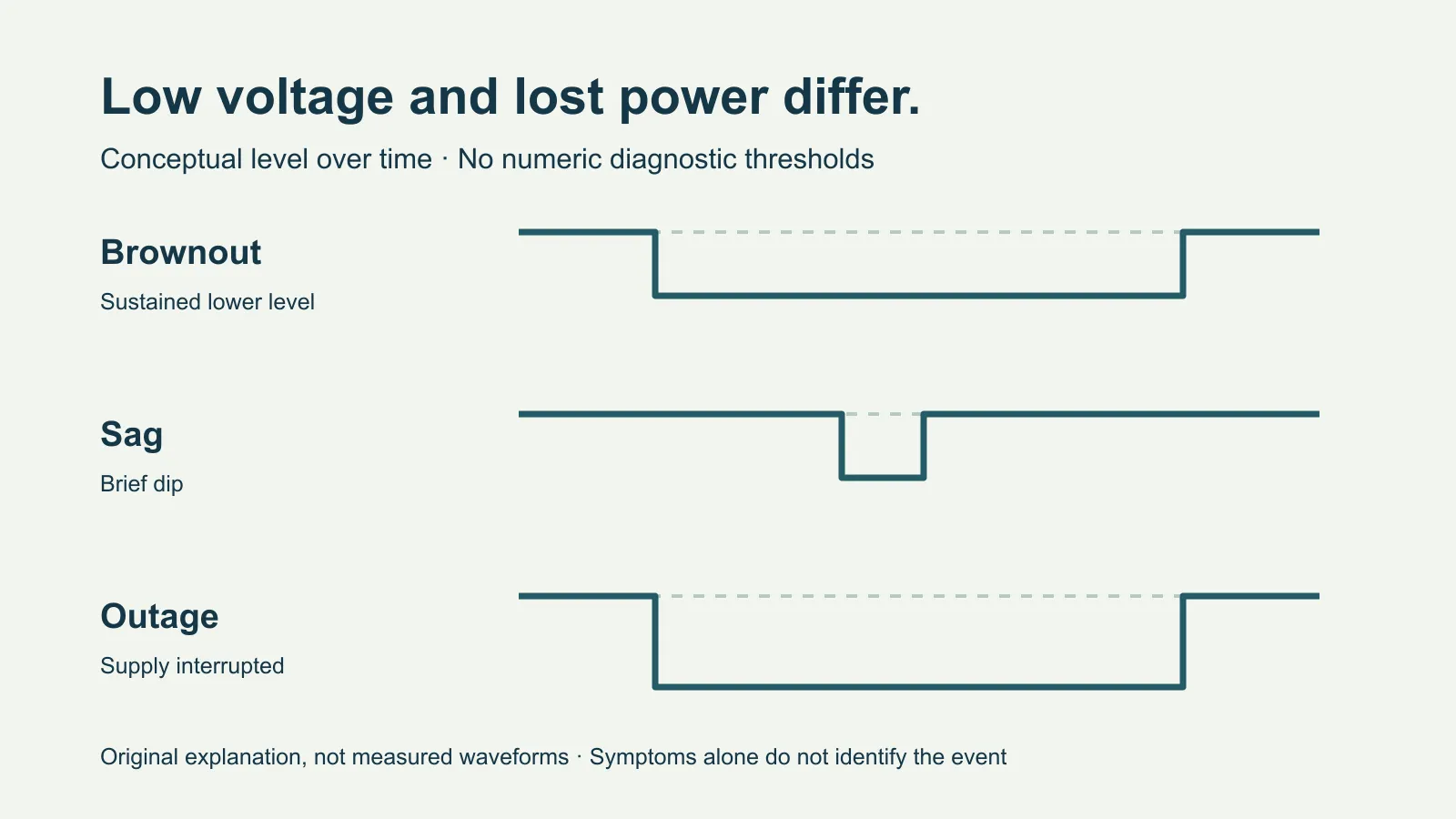
Eaton’s power glossary describes a brownout as steady low voltage that is not zero. A complete interruption removes supply instead. In the qualitative comparison in Eaton’s power-conditioning FAQ, a sag is a shorter reduction than a sustained brownout. A surge is a rise. That document dates to June 2003 and concerns industrial power quality; its duration distinction is used here without adopting its numeric thresholds. Duration and magnitude matter to the technical classification; a photograph or a light’s brightness cannot supply those measurements.
| Term | Conceptual difference |
|---|---|
| Brownout | Supply remains present at a lower voltage over a sustained period. |
| Voltage sag | Voltage falls briefly, then recovers. |
| Outage / blackout | Supply is interrupted. |
| Surge | Voltage rises; transient surge protection addresses brief overvoltage events within its design. |
These are explanatory descriptions, not universal household trip thresholds. Utility notices, standards and equipment logs can use more specific terminology. Preserve their exact wording instead of relabeling every event “brownout.”
A router restarting, some rooms losing power, or lamps changing brightness can have different causes. FPL’s disturbance FAQ distinguishes brief interruptions from fluctuations and provides reporting paths. Its rules and troubleshooting steps apply to its service area; follow your serving utility and qualified electrician for the actual event.
Which protection function addresses which problem?
A device can provide more than one function, but its name alone does not establish all of them.
| Function to verify in the exact manual | What it addresses; what remains separate |
|---|---|
| Transient surge protection | Limits some brief voltage rises. It does not supply stored energy for an outage or automatically correct sustained low voltage. |
| Automatic voltage regulation (AVR) | Corrects input variation within the documented operating range. That range and behavior are model-specific. |
| Battery backup | Supplies supported loads for limited runtime. Load, battery condition and the unit’s limits still determine the result. |
For example, Eaton describes its OMNI AVR family as correcting minor voltage fluctuations without switching to battery. That explains the function; it does not mean every UPS has AVR or can correct every low-voltage event. Read the model’s input range, transfer behavior and supported loads rather than adjusting sensitivity to hide repeated warnings.
Read a warning without turning it into a diagnosis
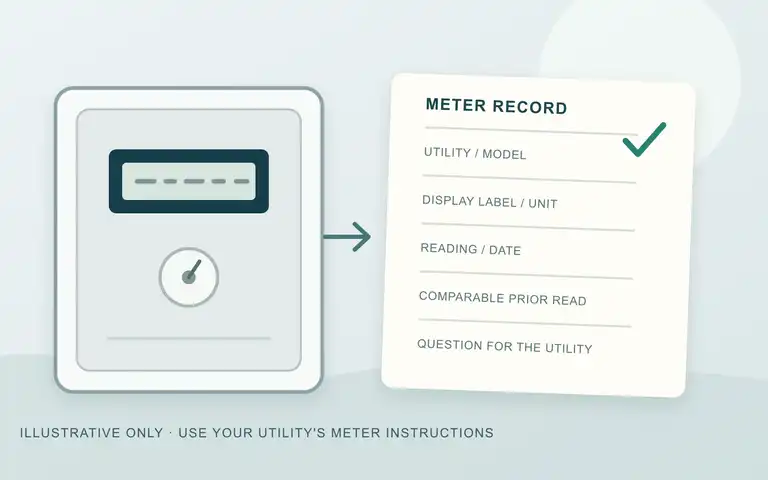
If an existing UPS reports an input or battery event, keep the exact message and timestamp, model and any safely available log. A displayed input value is the unit’s report, not a calibrated inspection of the whole home. Do not recreate the condition, move loads between outlets or repeatedly reset equipment to test a theory.
On an ordinary day, you can check three documentation questions:
- Does the manual describe AVR, battery backup, or both—and which outlets provide each function?
- What does the particular alert mean, and what response does the maker specify?
- Which outlets have each documented function, and what loads are supported?
Buying a protector does not resolve an unexplained supply problem. For dimming, flicker or partial power, use the safe utility-call checklist. It helps report the observed pattern while leaving diagnosis to the serving utility or qualified electrician.