Freezer Temperature Alarms: Check the Whole Alert Path
A freezer alarm can warn locally or send a remote notification, but each depends on a different chain of devices and power. Map what your alarm can report before relying on it.
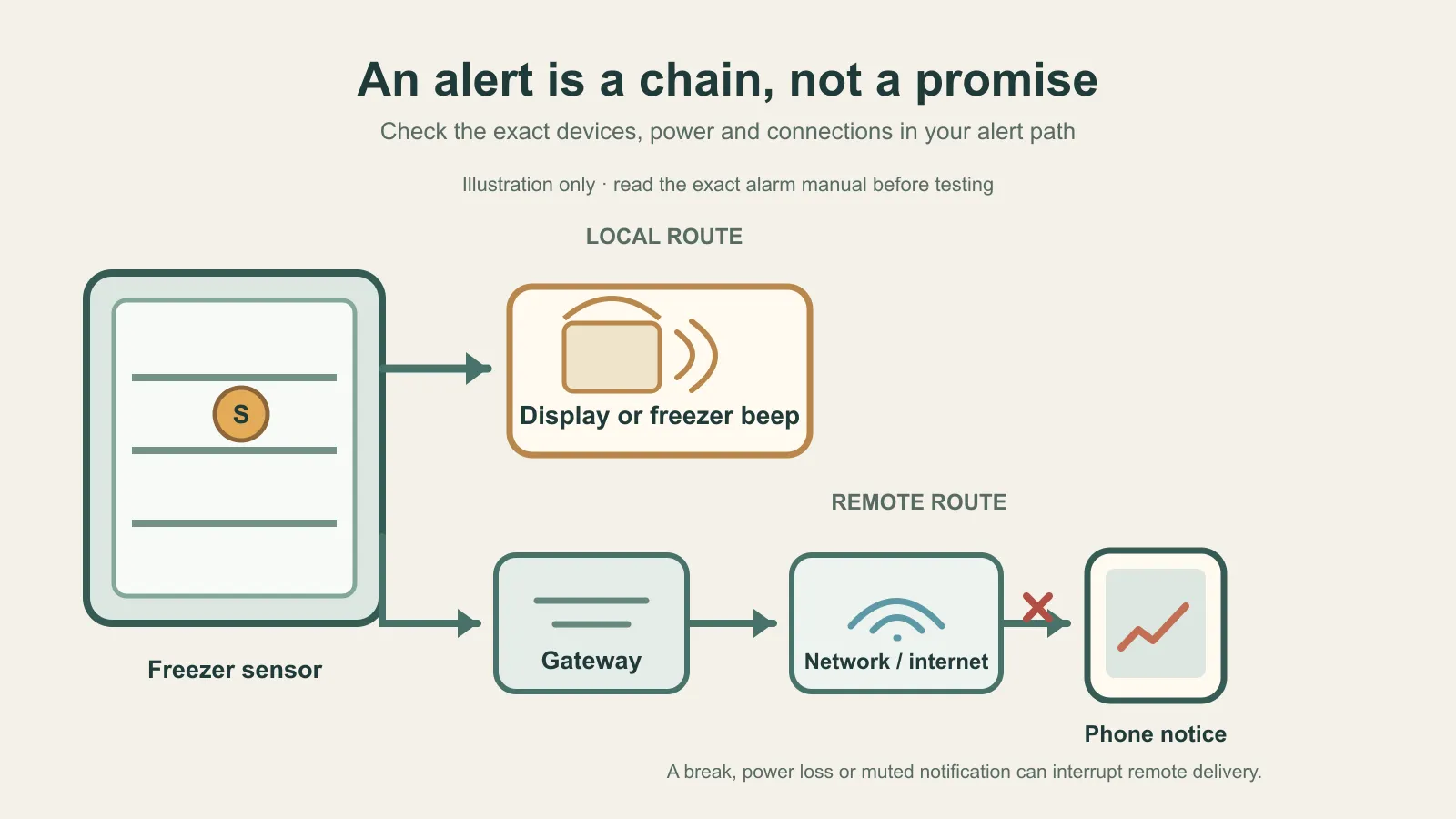
A freezer alarm is useful only if the notice reaches someone who can respond. The built-in buzzer beside the unit and a phone alert from a remote sensor use different paths, and either can stop working for reasons that have nothing to do with the temperature probe. Start by mapping the one you actually rely on.
Trace where the warning goes
| Alert type | Where you may notice it | Dependencies to check |
|---|---|---|
| Built-in freezer alarm | At the freezer, through a light, control panel, or audible warning | Exact model, alarm enabled, household power, and the manual’s threshold and delay |
| Separate sensor with local display | At the display, often placed outside the freezer | Sensor batteries and cold limits, sensor-to-display range, reporting interval, and alarm enabled |
| Remote notification | On a phone or other configured device away from home | Sensor, gateway, local network, internet or cloud service, phone connection, app settings, and notifications not muted or blocked |
Do not assume that a freezer’s high-temperature alarm will sound during a blackout. GE’s alarm guidance says the alarms it describes operate on household electricity and do not perform when power fails. The manual for one GE chest model describes a separate light that records a home power-loss event; that feature is model-specific and does not mean the audible alarm remains powered during the outage.
Read the exact threshold and delay
The number printed on an alarm is the device’s trigger setting, not a universal safe-food boundary. GE’s FCM16/FCM22 manual, for example, says its high-temperature indicator comes on above 23°F for 60 minutes and turns off below 20°F. Those are instructions for that GE model family. They are not food-safety limits and should not be copied to a different freezer.
An AcuRite 00986 manual provides a different example: it describes alerts after a reading is beyond the selected high or low boundary for more than 15 minutes. It gives a default high limit of 0°F for its freezer sensor, but lets the user change the threshold. The same manual lists 90-second data reports, a stated 75-foot wireless range that varies with placement, an operating range of -40°F to 100°F, and lithium batteries for the freezer sensor below -4°F. These figures describe that product; they do not set a threshold for your food or another monitor.
If you need to know what an appliance reading means, use the refrigerator and freezer temperature guide. A warning or a quiet alarm cannot reconstruct an earlier temperature history.
Remote means more links to check
A Bluetooth sensor by itself can reach only a nearby phone within its connection range. SensorPush says its remote monitoring adds a G1 gateway connected to the home network and internet, with notifications delivered through the cloud to a phone. For its system, local Bluetooth alerts remain possible only when the phone is nearby with Bluetooth and the app enabled. If the gateway loses power or internet, SensorPush says its cloud checks gateway status about hourly; a notification also depends on the phone having internet, notifications enabled, and no mute or Do Not Disturb setting blocking it.
That example shows why “Wi-Fi alarm” is not a complete description of what happens when the home loses power or connectivity. For any product, list every powered link between the sensor and the person expected to see the alert. A battery-powered sensor does not provide a remote alert by itself, and a phone notification is not useful if the phone is unreachable or configured to silence it.
Test only the function the maker documents
Some alarm models have a dedicated test control. GE’s help page says older chest freezers with a TEST switch should be tested at least monthly; it also notes that setting is specific to those legacy alarm styles. Those instructions do not create a monthly test rule for other monitors.
The AcuRite 00986 manual explains how to set thresholds and turn its alarms on, but it does not give a procedure for deliberately warming the sensor to trigger an alarm. Do not improvise by warming food, leaving the door open, unplugging equipment, or cutting the network. If your exact manual does not explain a safe test, ask the manufacturer what its test function checks. A successful sound or phone notification confirms only the path exercised by that test; it cannot establish that every sensor, network, battery, and future alert will work.
Alarm-path record
Keep a short record with the appliance manual. It is about how a warning gets to you, not a log of normal freezer readings.
- Freezer and alarm model; date the instructions were checked
- Alert type: built-in, local display, or remote notification
- Threshold, delay, sensor location, stated range, and reporting interval
- Power source for the freezer alarm, sensor, display, and gateway
- Radio, gateway, internet, cloud, app, and phone-notification steps relied upon
- Maker-approved test method, date, result, and the part of the path it exercised
- Backup way you would learn about a power, sensor, or connection failure
If the path is unclear, ask the device maker or check the exact manual before relying on it. The temperature guide linked above can help interpret a reading once you have one; this alarm record cannot tell whether food remained safe.