NOAA Weather Radio Setup: SAME Codes, Reception, and the Weekly Test
Match a weather radio to a transmitter that serves your county, check its location and alert settings, and keep a record of the next local weekly test.
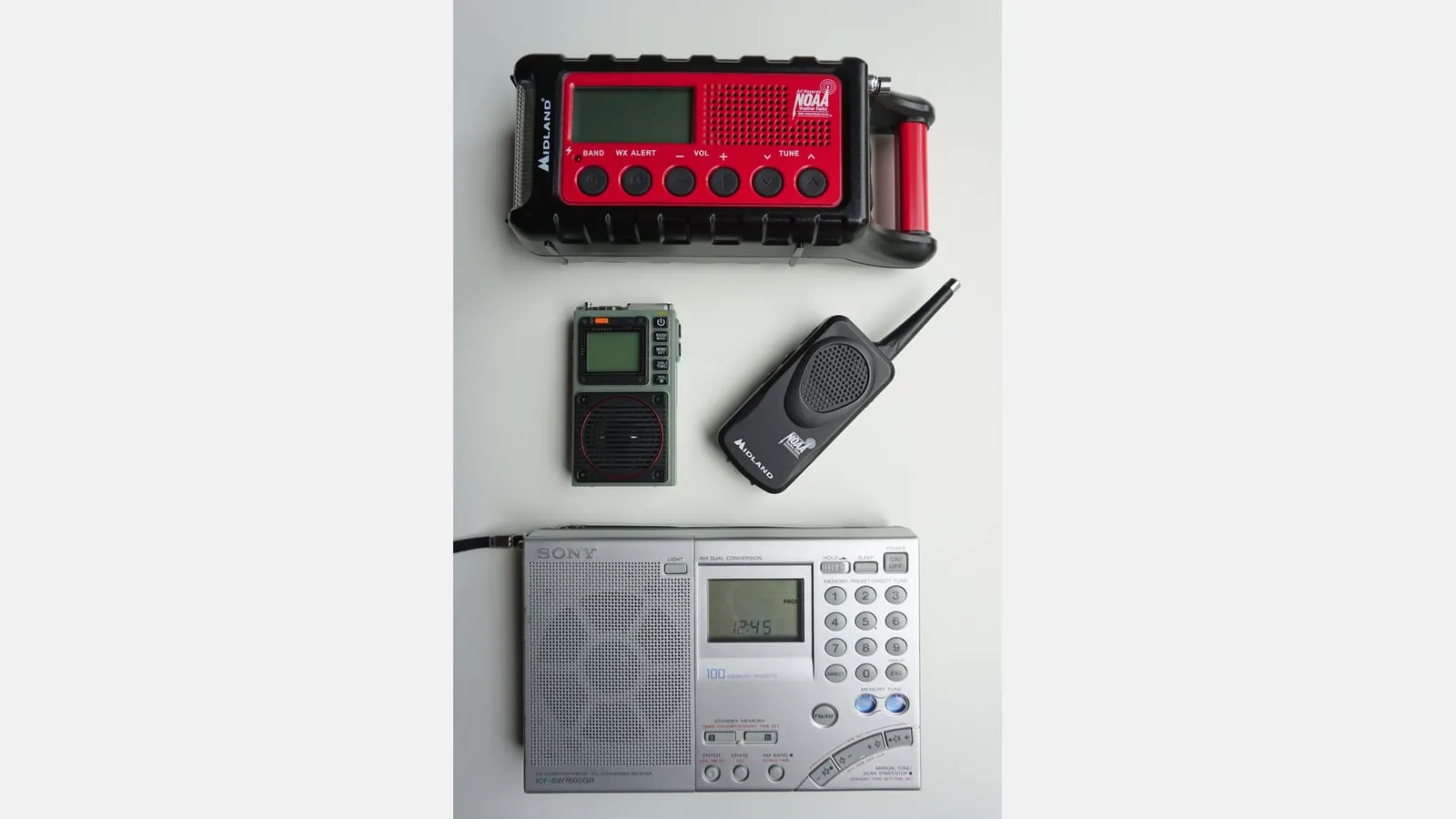
Set up a weather radio on a quiet afternoon, while you can still look up a county code and call the manufacturer. Start by confirming that its selected transmitter actually serves your location. Hearing a clear forecast is useful, but it does not establish that a location-filtered alert is configured correctly.
This guide covers the U.S. NOAA Weather Radio setup and verification task. The Emergency Communication Guide helps you build the wider household plan, including a second way to receive official warnings and a way to contact other people.
Check what your receiver can do
Find the full model number and its current instructions. A radio advertised as receiving weather broadcasts may have different alert features from a receiver with Specific Area Message Encoding, usually shortened to SAME. Do not assume that a weather-band button, hand crank, or phone-charging socket establishes any particular alert capability.
Make a small table before changing settings:
| Question | Evidence to keep |
|---|---|
| Does this model support SAME location filtering? | Manual section and available location modes |
| How does it enter alert standby? | Exact setting and what the display should show |
| What happens when household power fails? | Required batteries, maintenance instructions, and functions supported on backup power |
| How does it indicate a weekly test? | Display, light, event history, sound, or another manual-described indication |
| Can everyone receive its warning? | Audible, visual, or compatible accessible alert equipment verified for this model |
If you cannot answer a row, treat it as a question for the manufacturer. Keep the manual locally or on paper rather than relying on a link you will need during an internet outage. Midland’s WR120 support hub is one example of where manufacturers group these resources; the controls on another receiver can differ.
Match the transmitter and location code
The NWS SAME instructions direct owners to choose a transmitter designated for their county or other covered area, then program the applicable six-digit location code. A louder station serving another area is not a substitute. Copy the code carefully, including leading zeroes.
Use the official location and station lookup linked from that NWS page. Record the county or equivalent area, transmitter call sign, frequency, and current status together. When more than one listed transmitter serves the county, compare reception among those suitable choices. Follow the receiver manual for entering one location, several locations, or its other supported modes.
For example, a household near a county boundary might want both its home county and a neighboring county where a care partner lives. That is a planning choice to document, not a reason to copy someone else’s code from a social post. Check that the selected transmitter carries the locations you intend to monitor.
Verify the place the radio will live
Listen from the radio’s intended location. A station that sounds clear at the kitchen window may be difficult to hear from an interior bedroom. Check the manual’s antenna and placement guidance, then leave the receiver where it can receive the broadcast and where household members can notice its alert.
Do not put it somewhere inconvenient simply to get a signal and assume the warning will wake everyone. A person who cannot reliably hear it needs a compatible accessible alert arrangement verified with the manufacturer. Plan that before severe weather, alongside the household’s other alert methods.
Write down what you observed: room, selected station, date, power source, and whether speech was intelligible. That observation is a baseline for your own checks, not a prediction that reception will always be available.
Observe the local routine weekly test
Find the scheduled test time from the NWS office serving your transmitter. Do not assume every office uses the same time. The St. Louis NWS FAQ explains that tests may be cancelled because of severe weather and that some receiver models indicate a test without sounding a siren. Check the exact model’s instructions before deciding that a quiet radio failed.
Put the next scheduled test on an ordinary household calendar. Observe the radio’s documented indication and record what actually happened. A receiver’s built-in sound demonstration checks a different thing from receiving a test broadcast through the transmitter and your location settings. Do not transmit a test, call emergency services for a test, or wait for a dangerous storm to check configuration.
If the weekly test is missing
| What you notice | What to check while conditions are safe |
|---|---|
| No forecast audio | Power, manual-described settings, antenna, suitable transmitter, and official station status |
| Forecast is clear but no test indication | Local test schedule or cancellation, serving transmitter, location code, alert settings, and the model’s expected test behavior |
| Radio reports lost reception | Current station status and settings; follow the receiver’s troubleshooting instructions |
| Problem began after batteries or power changed | Recheck saved settings and required backup power against the manual |
The official NWR outage page can identify known transmitter problems. It cannot diagnose your receiver. Keep another official alert source available while resolving a missing test, and contact manufacturer support when the device behavior remains unclear.
Radio setup record
Keep this beside the radio so someone else can check it without starting over:
- Full receiver model and where its instructions are stored
- Home county or equivalent area and every programmed SAME code
- Serving transmitter call sign, frequency, and date its listing was checked
- Location in the home and alert-mode setting
- Backup-power requirements and last check under the manual
- Local NWS office, weekly-test schedule, and expected model response
- Last test observed, actual indication, and any unresolved question
- Second official warning source and who will act when a warning arrives
Revisit the record after moving, changing equipment or settings, or finding a reception problem. Then connect the warning to an action: for example, use the Tornado Shelter Plan to decide where everyone will go. A radio’s silence is never an all-clear, and a successfully received test is not a guarantee that every future warning will reach you.