Solar Generator Buying Guide: Compare the System, Not the Hype
Compare portable power stations by usable energy, output, charging inputs, temperature, safety evidence, service, and documented 1 kWh LiFePO4 models.
In this guideJump to a section
- Start with the outage job
- Compare power and energy
- Match the outlets and charging inputs
- Check battery and environmental limits
- Review safety and service evidence
- Understand solar recharge
- Use a repeatable comparison worksheet
- Test before the return window closes
- Compare two exact systems with the same worksheet
- Continue to model-specific research
- Primary sources
A solar generator is usually a battery power station
Most products sold as solar generators are rechargeable batteries with an inverter, controls, and outlets. Solar panels are an optional charging source. The battery does not create energy, and solar recharge depends on the panel, input limits, weather, shade, and time available.
Comparing portable power stations is straightforward once you match your measured appliance loads against four numbers: nameplate watt-hours, continuous AC watts, solar input voltage and wattage limits, and battery chemistry. Below, we walk through the sizing method and compare documented 1 kWh-class LiFePO4 stations using manufacturer manuals.
Use the Battery Runtime Calculator to turn the loads into an initial energy and runtime estimate. Treat solar recharge as a separate question, then verify each input below.
Start with the outage job
Write down the loads that must run and the loads that can wait. For each one, record daily watt-hours, simultaneous power, and starting demand.
Portable stations commonly fit:
- Phones, lights, radios, and network equipment
- Laptops and small office equipment
- A refrigerator or freezer when output and starting demand are compatible
- Small fans and selected low-power appliances
- Travel and camping loads
They may be a poor fit for central heating or cooling, electric water heating, large pumps, cooking appliances, or other sustained high-power loads. Some units can run a high-power appliance briefly, but doing so may consume stored energy quickly.
For medical equipment, obtain the manufacturer’s power requirements and confirm the backup plan with the equipment provider and clinician. A consumer power station is not a medical reliability guarantee.
Compare power and energy
Continuous output is the power the inverter can sustain. Starting or surge output is a limited capability that may help start certain motors. Surge duration and behavior vary, so a headline number does not prove compatibility.
Watt-hours describe stored energy. Usable energy at an AC outlet may be lower than nameplate energy because of inverter losses, standby use, temperature, and the battery’s programmed limits.
Ask each manufacturer for:
- Nameplate and stated usable energy
- Continuous and surge output, including surge duration
- Output behavior at low state of charge and temperature extremes
- Test conditions behind runtime claims
- AC inverter standby use
Avoid a universal rule such as “every station delivers 75 percent.” Test results depend on the load and output used.
Match the outlets and charging inputs
List the exact outputs needed: grounded AC receptacles, USB-C power levels, 12-volt DC, or other connectors. Check whether all outputs can operate together and whether total or per-port limits apply.
For charging, record:
| Charging path | Evidence to collect |
|---|---|
| Wall charging | Input power, full-charge time under stated conditions, cord and circuit requirements |
| Solar | Allowed voltage, current, power, connector, polarity, series or parallel rules |
| Vehicle | Approved adapter, input limit, vehicle-operation instructions |
| Generator-fed charger | Whether the station accepts that source and the generator setup remains safe |
A high-wattage panel cannot force a station to accept more than its solar input. A fitting connector does not prove voltage or polarity compatibility.
Check battery and environmental limits
The Battery Types Guide explains why chemistry is only one part of the decision. For the exact station, compare:
- Charging, discharging, and storage temperature ranges
- Low-temperature charging protection
- Cycle warranty and its test conditions
- Long-storage state and inspection interval
- Expansion-battery compatibility
- Water, dust, drop, and transport limitations
- Fan noise and required ventilation clearance
Do not put a power station in a sealed hot vehicle, block its vents, expose open ports to rain, or use it outside the manual’s environmental limits.
Review safety and service evidence
Before purchase, download the manual and warranty. Identify the complete product’s certification or listing for its intended use, not only a certification claimed for an individual cell. Search the CPSC recall database for the brand and model.
Also verify:
- Service address and support contact
- Replacement cable and charger availability
- Firmware update policy and offline operation
- Warranty transfer rules
- Battery recycling or end-of-life instructions
- Return process for a heavy battery product
If a marketplace listing is the only source of technical information, remove the model from the shortlist.
Understand solar recharge
Solar production changes with location, season, orientation, shade, smoke, temperature, and setup time. Use NLR PVWatts for location context and the Solar Sizing Guide for a transparent method. Then remain within the station’s input limits.
Plan two cases:
- Extension: Solar offsets part of the daily load.
- Recovery: Solar powers current loads and restores energy used overnight.
Recovery usually needs more favorable conditions than merely slowing battery depletion. Keep a no-solar fallback and a load-shedding order.
Use a repeatable comparison worksheet
For every shortlisted model, fill in the same fields:
- Exact model and revision
- Manual and warranty date checked
- Stated usable energy and test condition
- Continuous and starting output
- Required outlets and per-port limits
- Solar voltage, current, power, and connector limits
- Charging and storage temperature limits
- Safety certification or listing
- Recall search result
- Local service and return path
- Expansion compatibility
Do not compare promotional prices unless the bundle contents, seller, warranty, and date are identical.
Test before the return window closes
Use the exact loads, cables, and panels in the plan. Start the largest compatible motor load, operate overnight loads, and recharge through each expected source. Record starting state, energy used, elapsed time, temperature, fan behavior, faults, and recovery time.
Test local controls without Wi-Fi or the vendor app. Keep an offline manual and label adapters. Stop if the station becomes abnormally hot, swells, leaks, smells unusual, or repeatedly faults.
Compare two exact systems with the same worksheet
Complete the same worksheet for two current candidates, using their exact manuals and warranty terms. Eliminate either one that cannot support the required load, ports, charging path, temperature range, or local service plan before comparing convenience features.
For example, suppose the written load budget requires 360 watt-hours delivered through AC and USB outputs, a protected reserve, and 300 watts of continuous output. Candidate A publishes tested usable AC energy, test conditions, port limits, and a current manual. Candidate B advertises a larger nameplate capacity but does not disclose usable AC energy or the conditions behind its runtime claim.
| Evidence field | Candidate A | Candidate B | Decision |
|---|---|---|---|
| Required outputs and 300-watt continuous load | Documented | Documented | Both remain in the shortlist |
| Delivered-energy evidence for the 360-watt-hour budget plus reserve | Published with test conditions | Nameplate capacity only | Candidate B is cannot determine, not the automatic winner |
| Recharge input and cable limits | Documented | Documented | Verify each with the planned source |
| Complete-system listing, recall search, service, and return path | Must be recorded | Must be recorded | Eliminate any unresolved safety or support gap |
This example does not rate a product or turn published data into a runtime promise. It shows why the larger marketing number can be the weaker-evidenced choice until the same fields and real-load test are available.
Continue to model-specific research
If your load worksheet points to a 1 kWh-class LiFePO4 station for indoor electronics, router backup, or a tested refrigerator circuit, compare the manufacturer-source records below or open our side-by-side EcoFlow DELTA 3 vs. BLUETTI Elite 100 V2 comparison. These records surface documented specifications and open questions; they do not replace a same-load test with your current manuals.
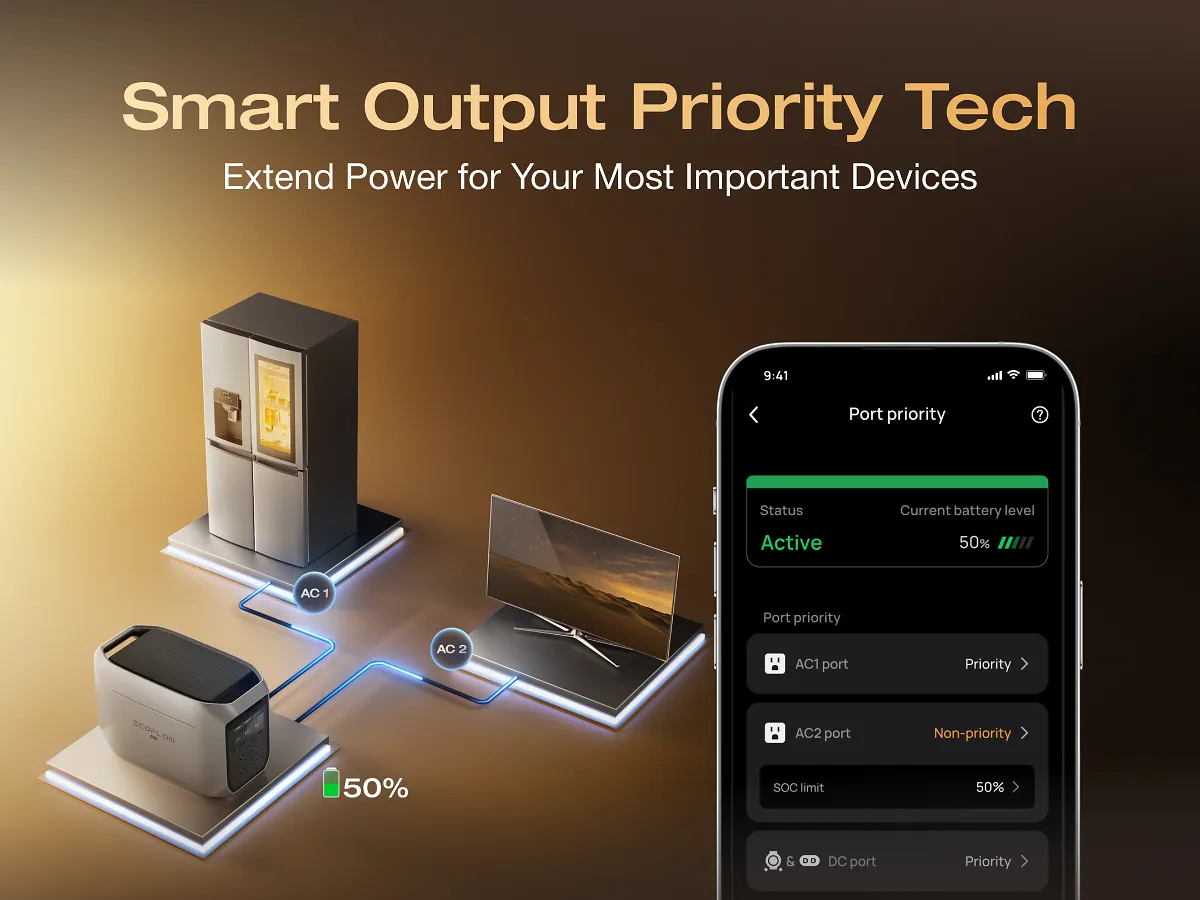
EcoFlow DELTA 3
LiFePO4 station with 1,024 Wh capacity, six AC outlets, 500 W max solar input (11–60 V), and expandable battery support for apartments and short-outage refrigerator plans.
- Nominal capacity
- 1,024 Wh
- Continuous AC output
- 1,800 W
- Base-unit weight
- 27.6 lb
Source records checked on 2026-10-04. This is research, not hands-on testing. Read the manufacturer manual.
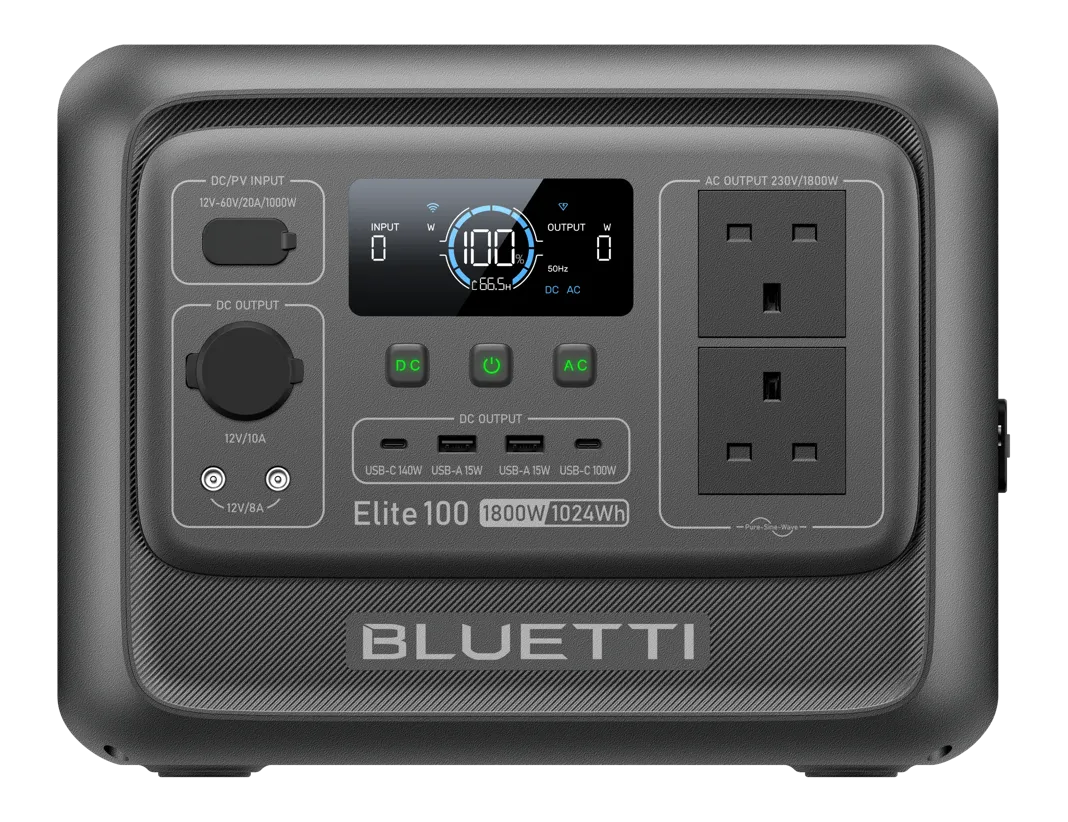
BLUETTI Elite 100 V2
1,024 Wh LiFePO4 station with 1,800 W continuous output and up to 1,000 W MPPT solar input (12–60 V) when faster daytime solar recovery is the deciding constraint.
- Nominal capacity
- 1,024 Wh
- Continuous AC output
- 1,800 W
- Base-unit weight
- 25.3 lb
Source records checked on 2026-10-04. This is research, not hands-on testing. Read the manufacturer manual.
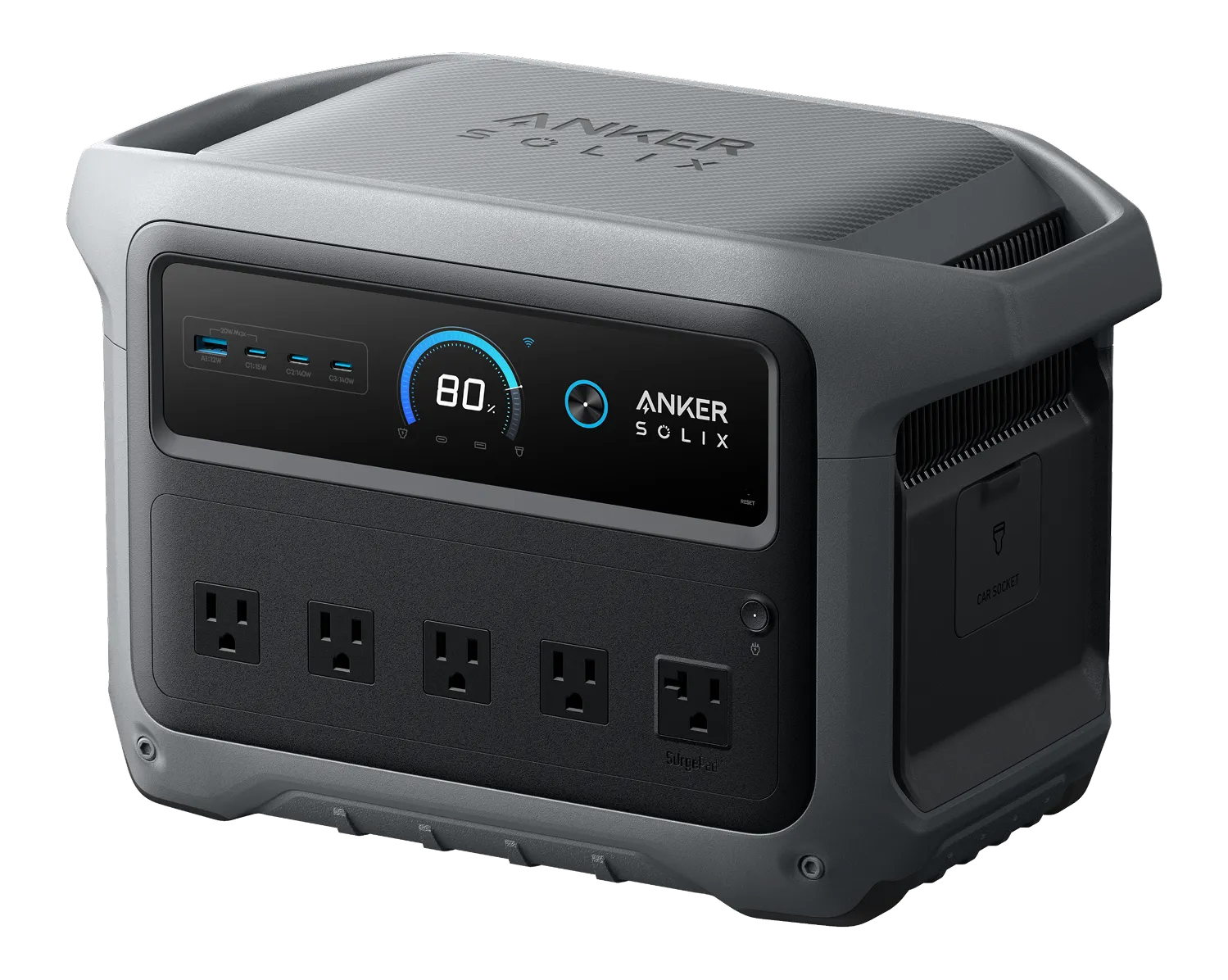
Anker SOLIX C1000 Gen 2
1,024 Wh LiFePO4 unit rated for 2,000 W continuous AC output and 600 W solar input (11–60 V) when a single 120 V load needs extra continuous inverter headroom.
- Nominal capacity
- 1,024 Wh
- Continuous AC output
- 2,000 W
- Base-unit weight
- 24.9 lb
Source records checked on 2026-10-04. This is research, not hands-on testing. Read U.S. B1763 Generator Kit guide (covers the C1000 Gen 2 station).
Jackery Explorer 1000 v2
1,070 Wh LiFePO4 station with 1,500 W continuous AC output and 400 W solar input (12–60 V) in a lighter 23.8 lb enclosure for households prioritizing easier carrying.
- Nominal capacity
- 1,070 Wh
- Continuous AC output
- 1,500 W
- Base-unit weight
- 23.8 lb
Source records checked on 2026-10-04. This is research, not hands-on testing. Read the manufacturer manual.